
Scheduling campaigns
Schedule a campaign to send at a future date and time instead of sending immediately. The campaign queues up, fires at the moment you picked, then runs through the normal send path.
Schedule a campaign to send at a future date and time instead of sending immediately. The campaign queues up, fires at the moment you picked, then runs through the normal send path.
Scheduling is useful when you have finished a campaign well before the moment you want it to land in inboxes: Tuesday morning for a Friday newsletter, or 8am when you finished it at 11pm the night before.
How to schedule
-
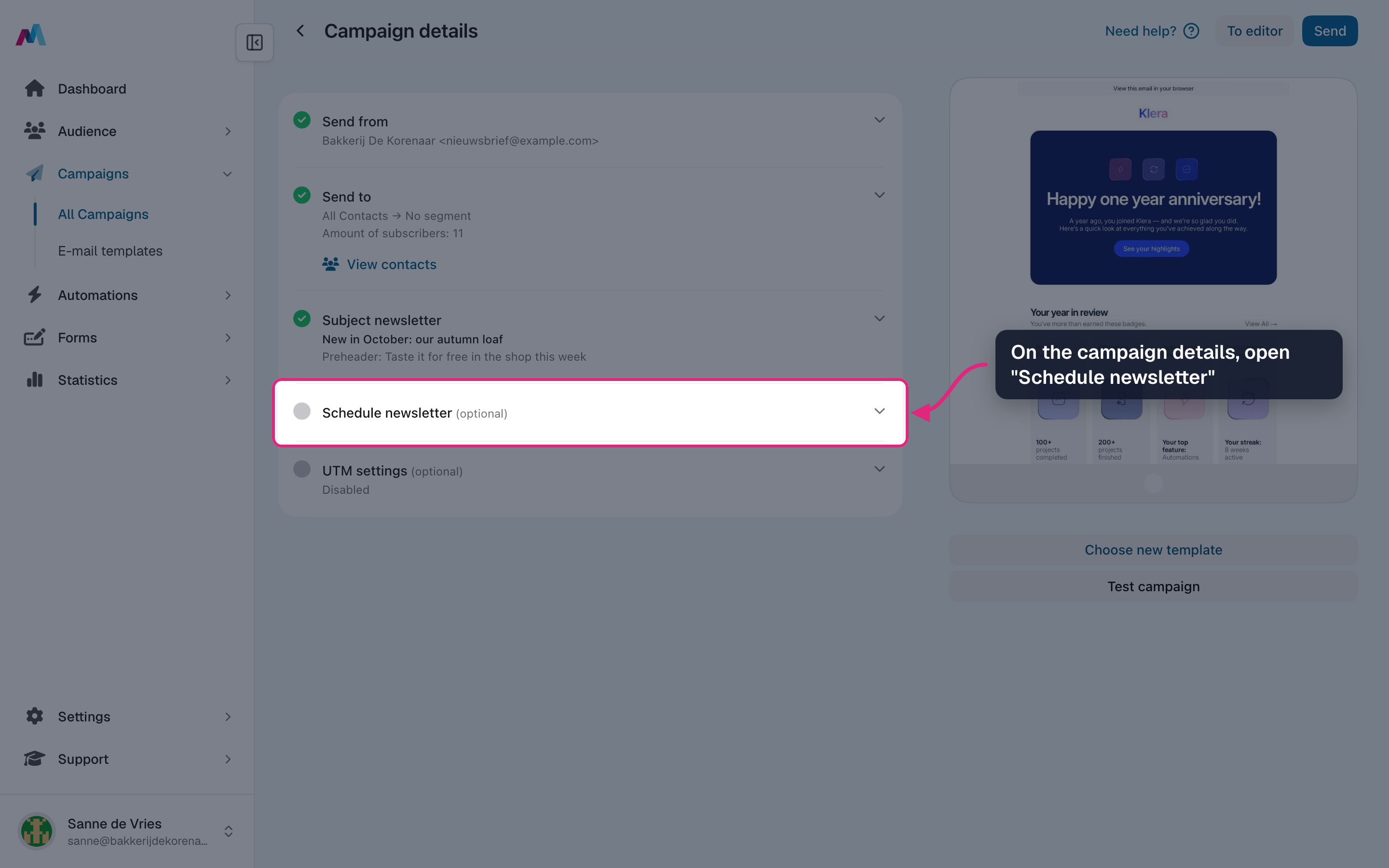
Open the campaign and click "Schedule newsletter" on the campaign details.
-
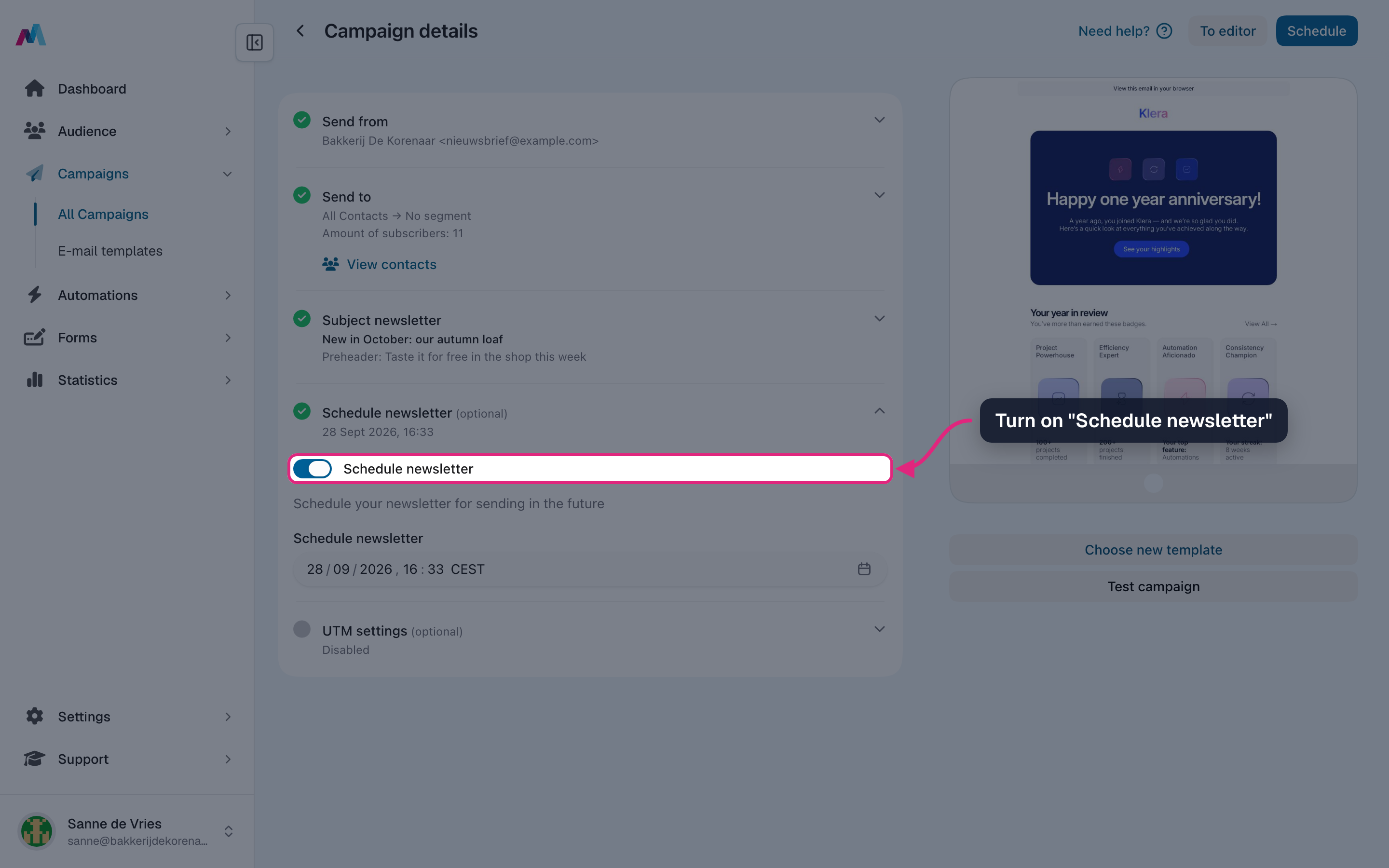
Turn on "Schedule newsletter". A date and time field appears, set to one hour from now.
-
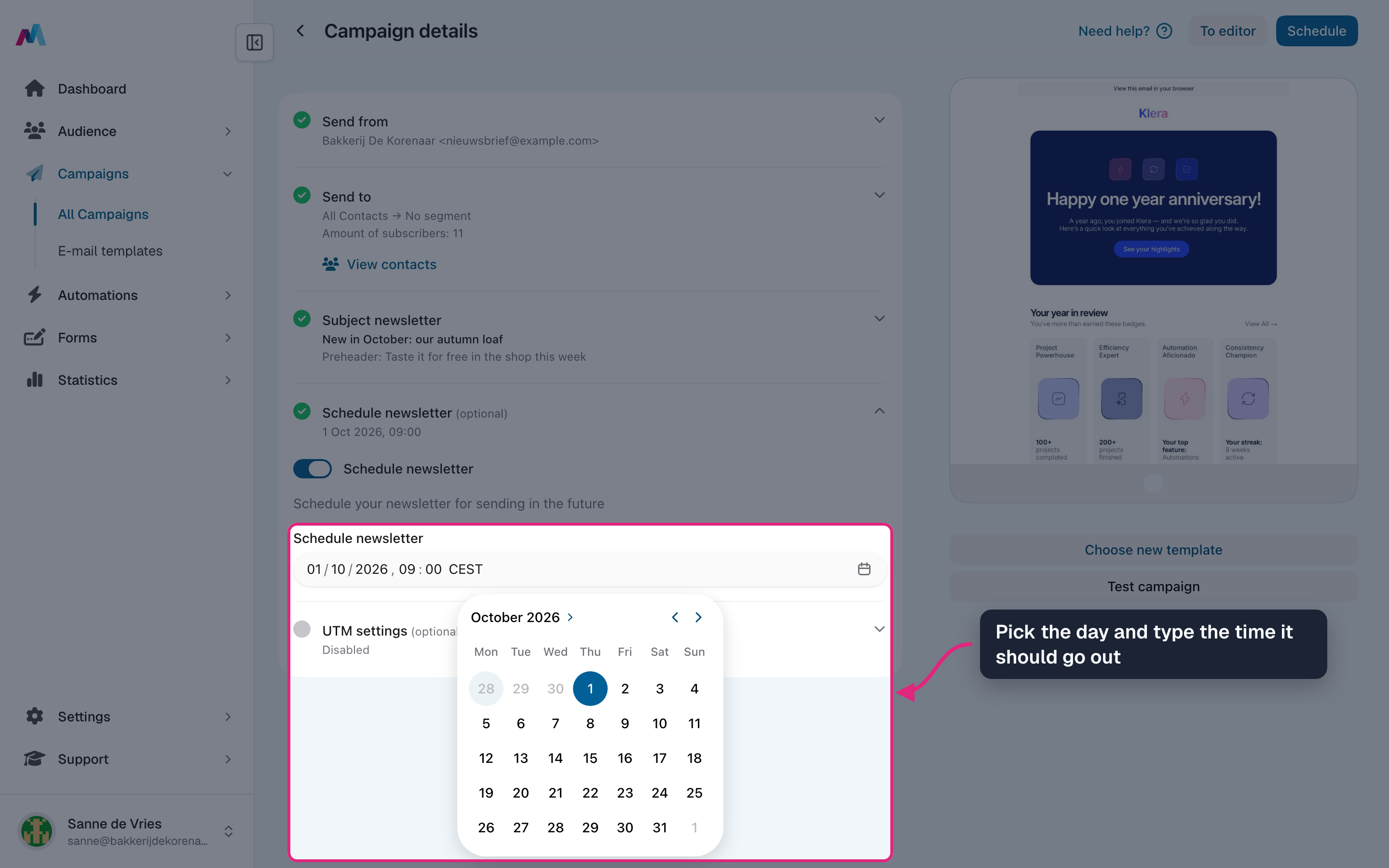
Pick the day in the calendar and type the time. The time zone is shown behind the time; it is the time zone of your profile.
-
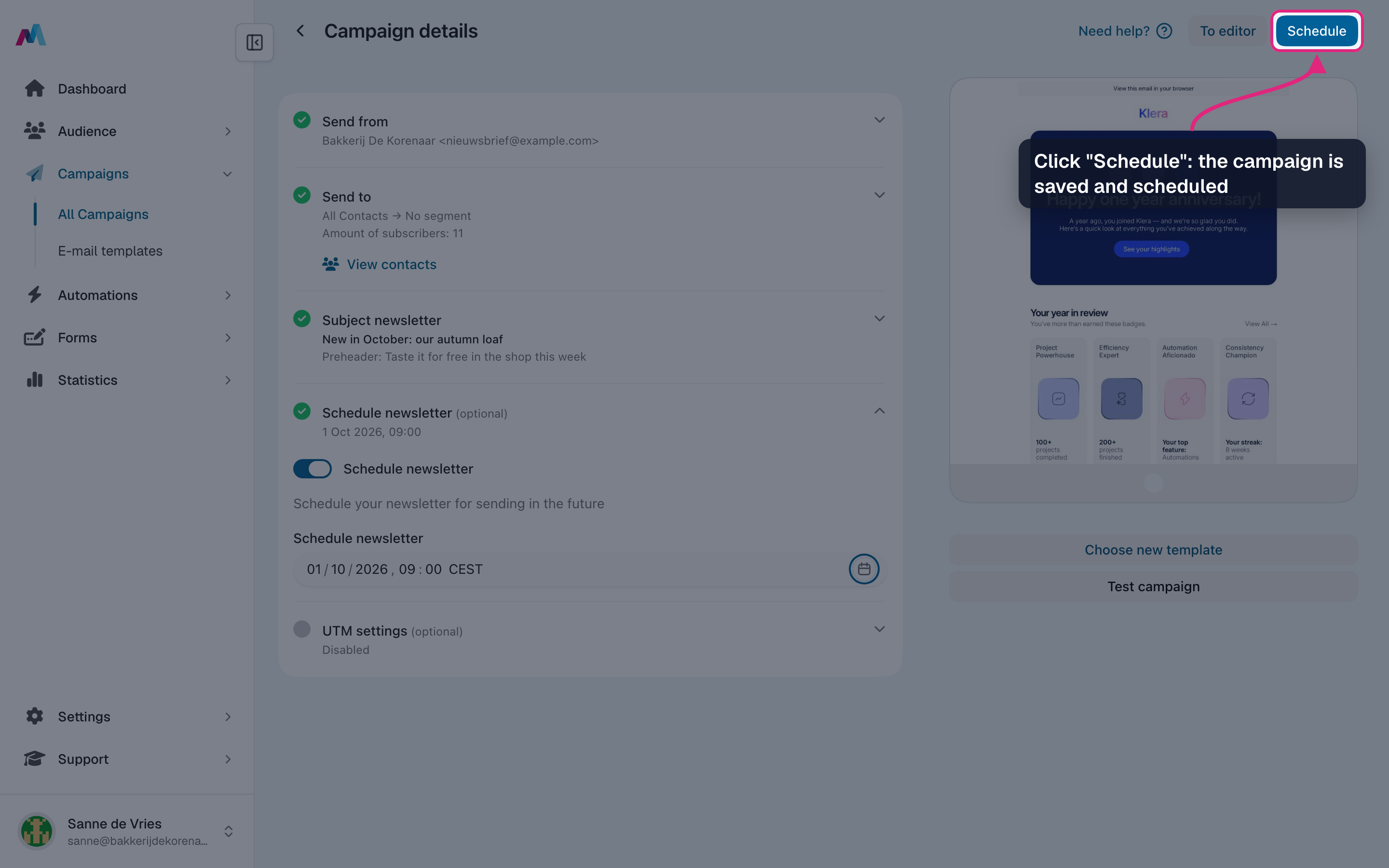
The button at the top now says "Schedule". Click it: the campaign is saved and scheduled straight away.
-
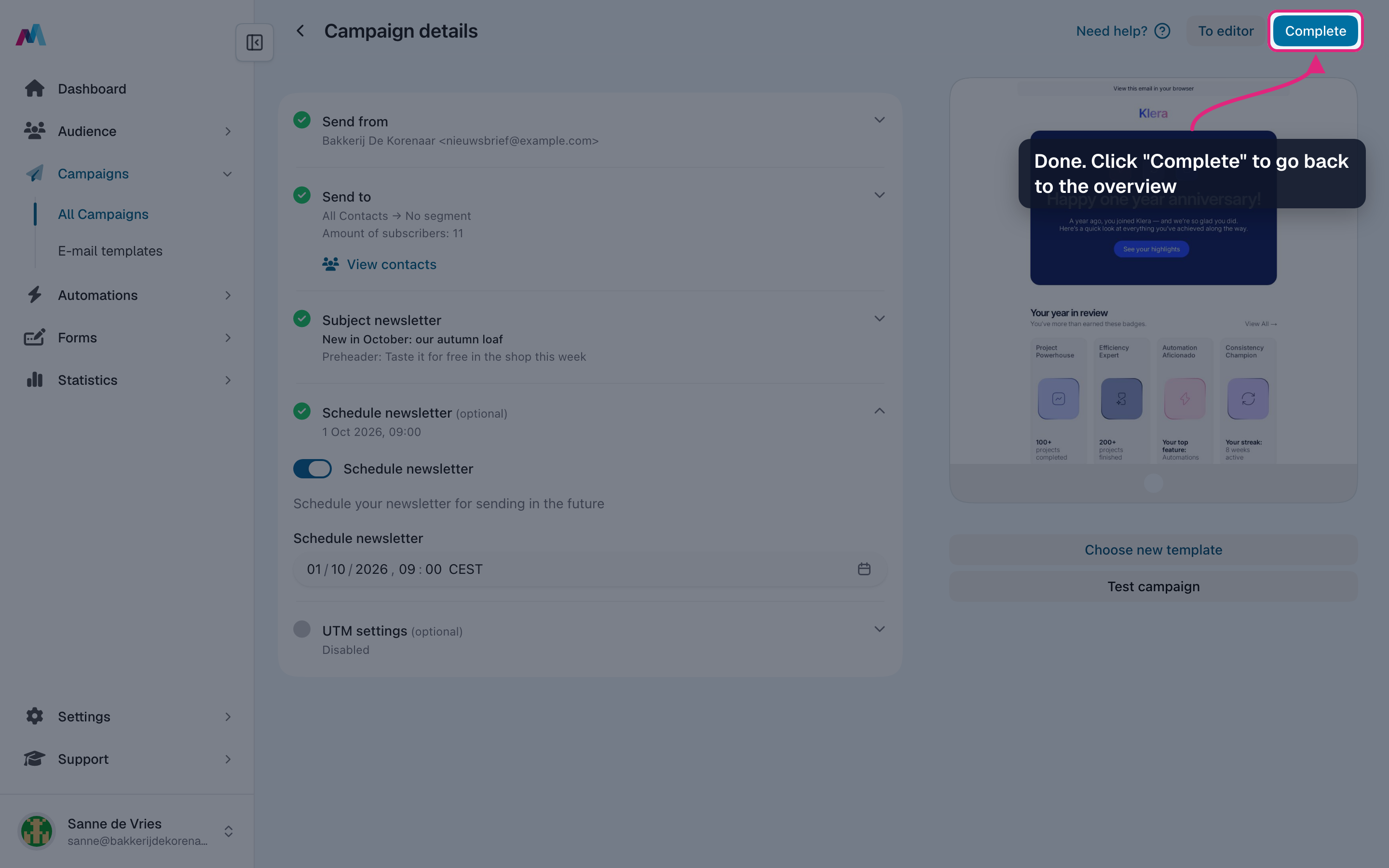
The campaign is scheduled. Click "Complete" to go back to the overview.
-
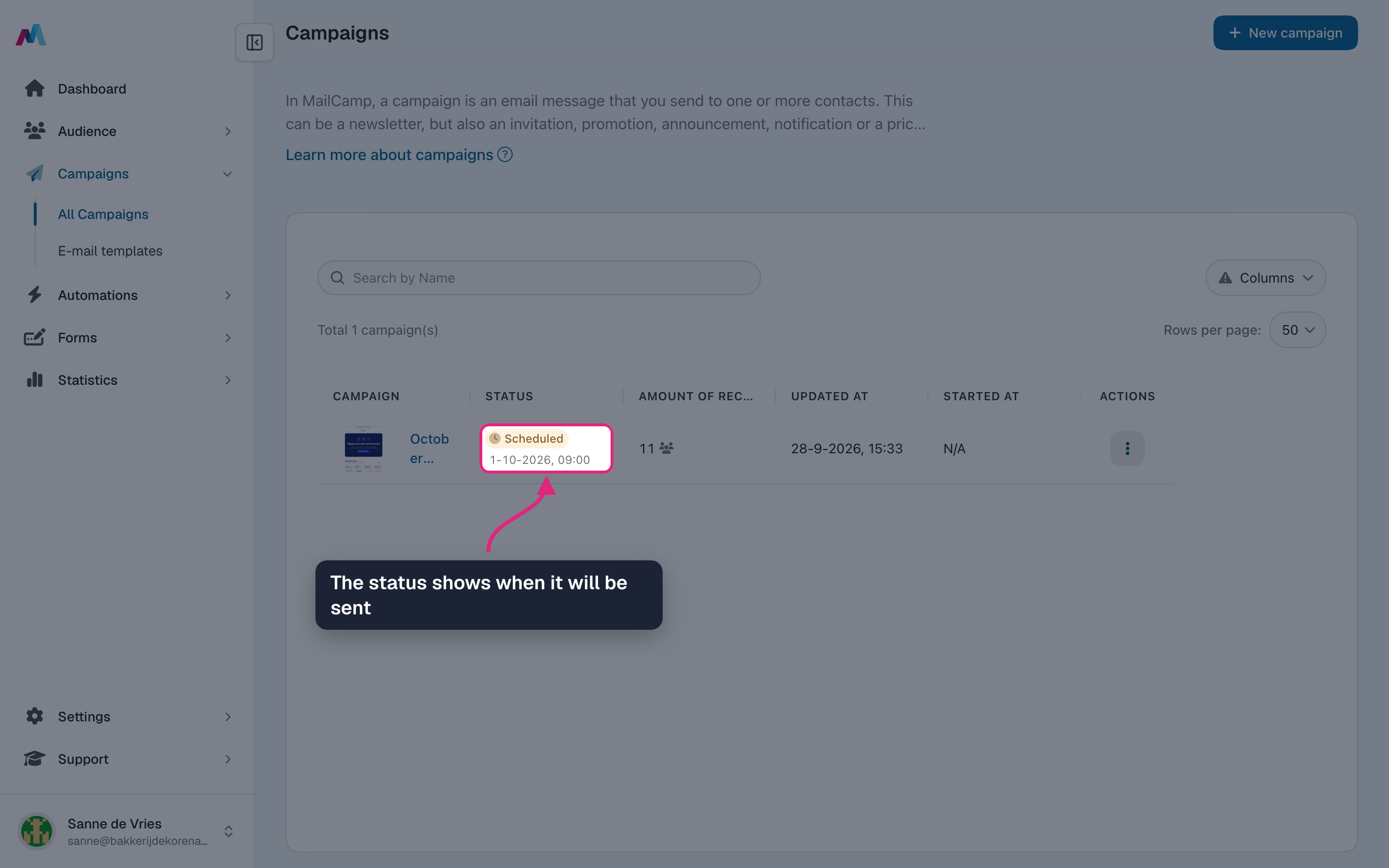
In the overview the status says "Scheduled", with the date and time it goes out.
-
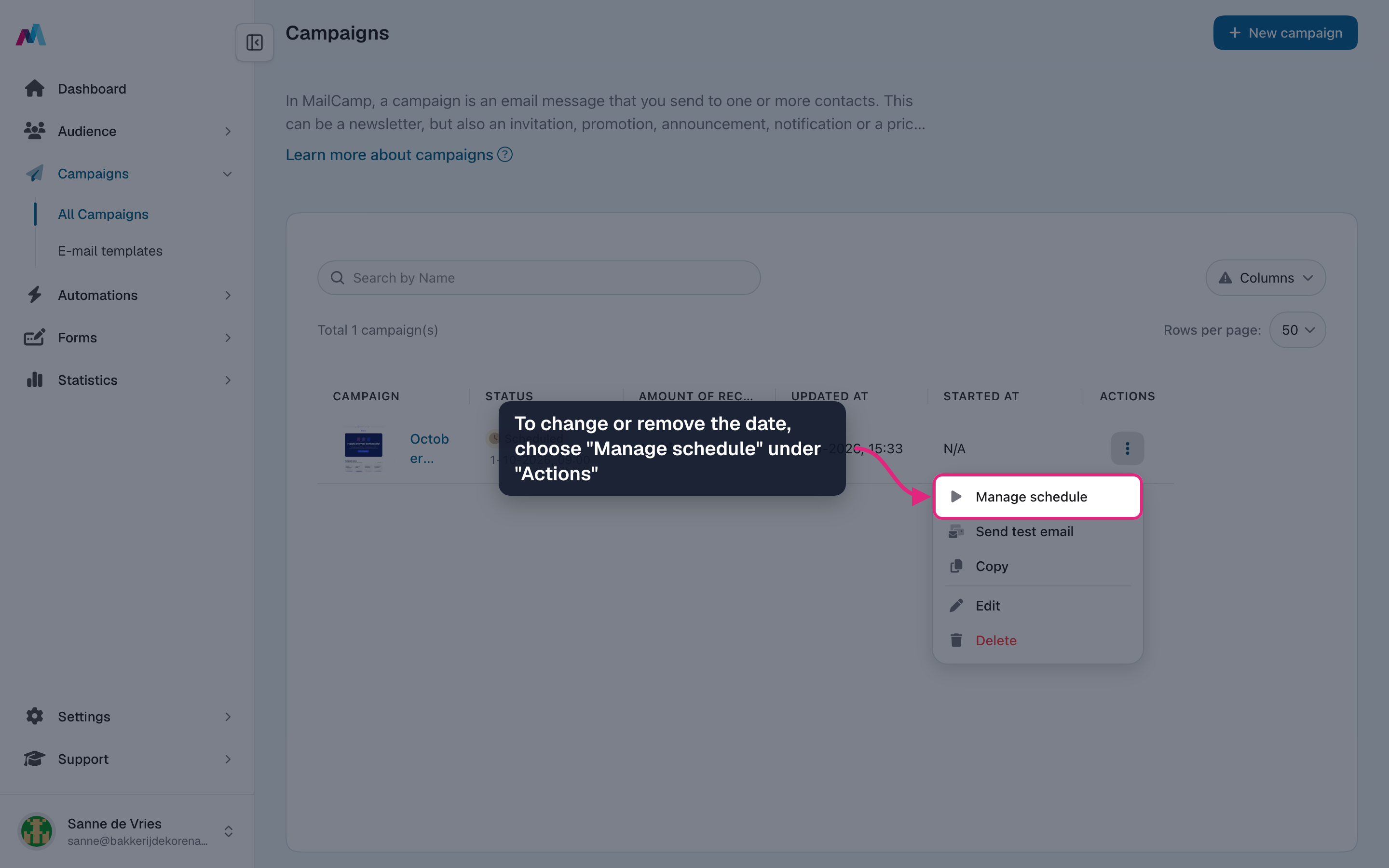
To change or remove the date, open "Actions" and choose "Manage schedule". In the window that opens, click "Edit schedule".
When to send: timing strategyFor B2C newsletters, weekday mornings (Tuesday to Thursday, 8 to 10am local time) tend to work best. For B2B, early morning or just before lunch, Tuesday to Thursday. Avoid Mondays (full inboxes after the weekend) and late Friday afternoons (only read on Monday). Your audience may differ, so try and compare.
Past times are rejectedIf you pick a date and time that is already in the past, which happens easily after working on a campaign for a day or two, it cannot be saved and you are asked for a future moment. To send right away, turn scheduling off and use "Send".
A firing send cannot be cancelledOnce the scheduled moment arrives and sending starts, there is no cancel button. Until then you can change or remove the date via "Actions" > "Manage schedule".
Can I unschedule a campaign?
Yes. Until it goes out, open "Actions" > "Manage schedule" on the overview and click "Edit schedule" to change the date or remove the schedule. Without a schedule it is back to ready and you can send it whenever you like.
What timezone does the scheduler use?
The time zone of your profile. The date field shows it behind the time. Recipients in other time zones receive the email at the same moment, which is a different local time for them.
What if I pick a time in the past?
The system refuses to schedule and asks you to pick a future moment. There is no auto-fallback to "send immediately"; that path is a separate button.
Can I schedule recurring campaigns?
Not directly: each campaign is sent once. For recurring or event-triggered emails, use automations.
See also
Updated 4 days ago