
Creating & editing a contact
What each field on the contact form means, and which ones lock once you save.
What each field on the contact form means, and which ones lock once you save.
Create a contact step by step
-
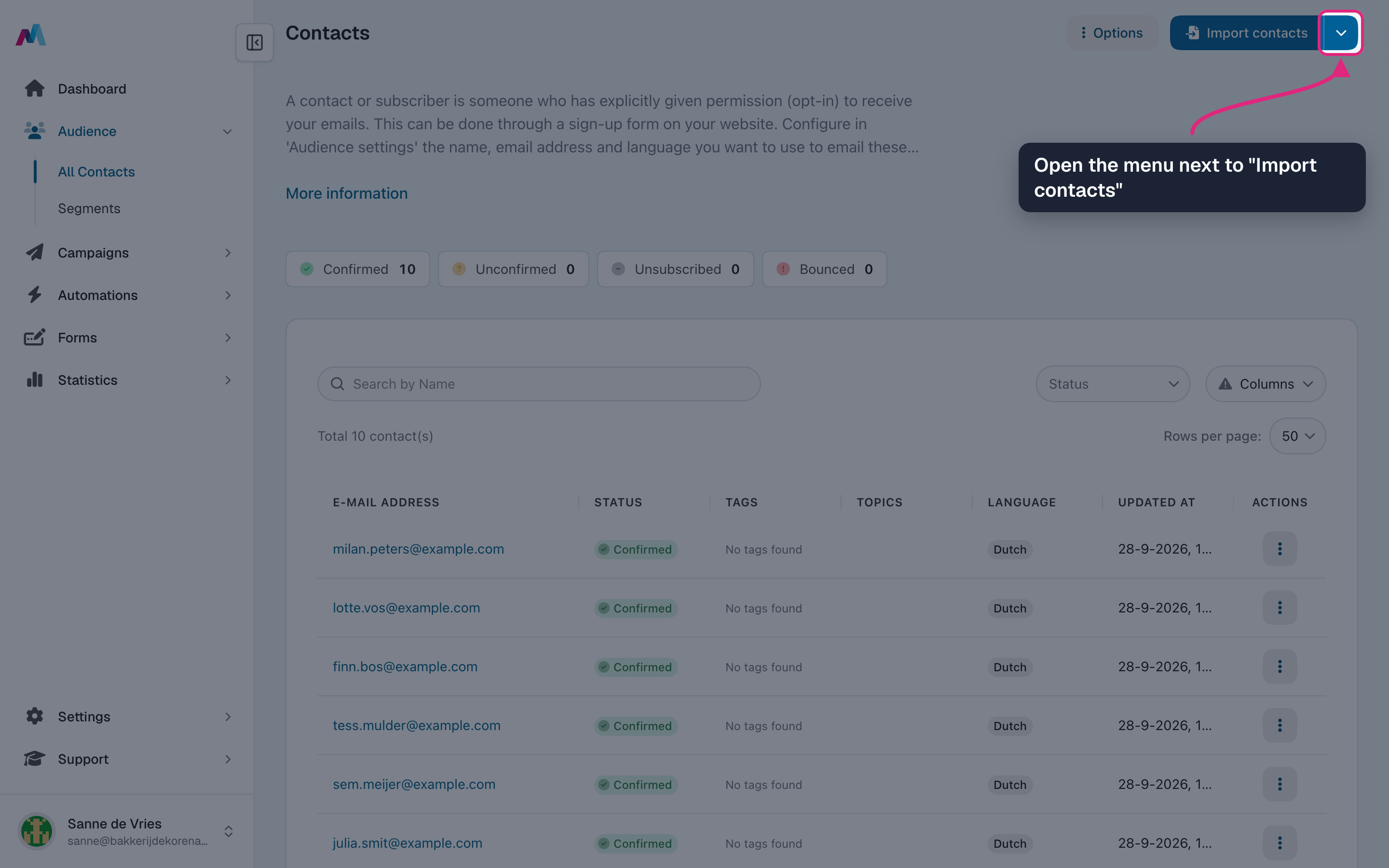
Go to Audience → All Contacts and open the menu next to "Import contacts".
-
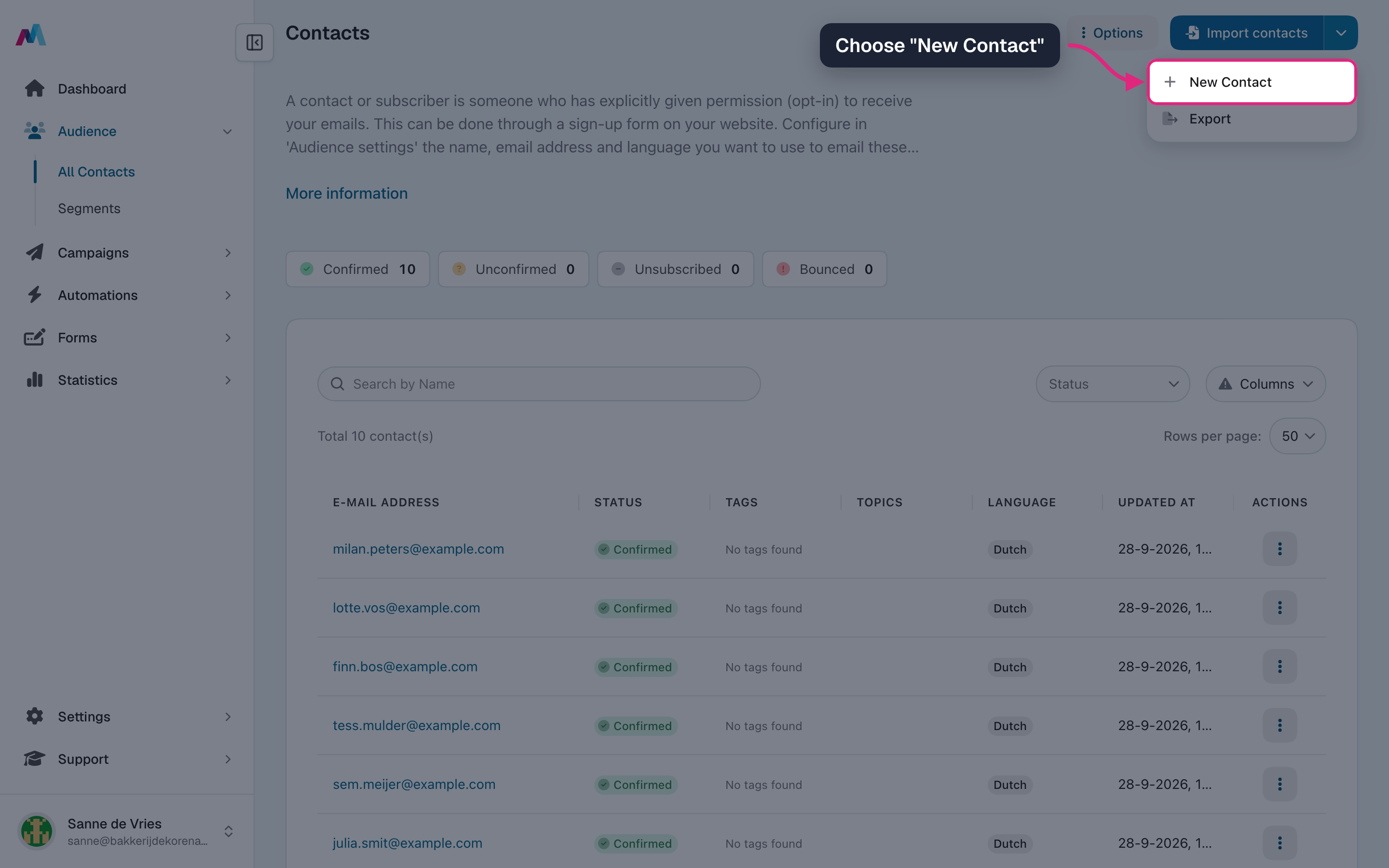
Choose "New Contact".
-
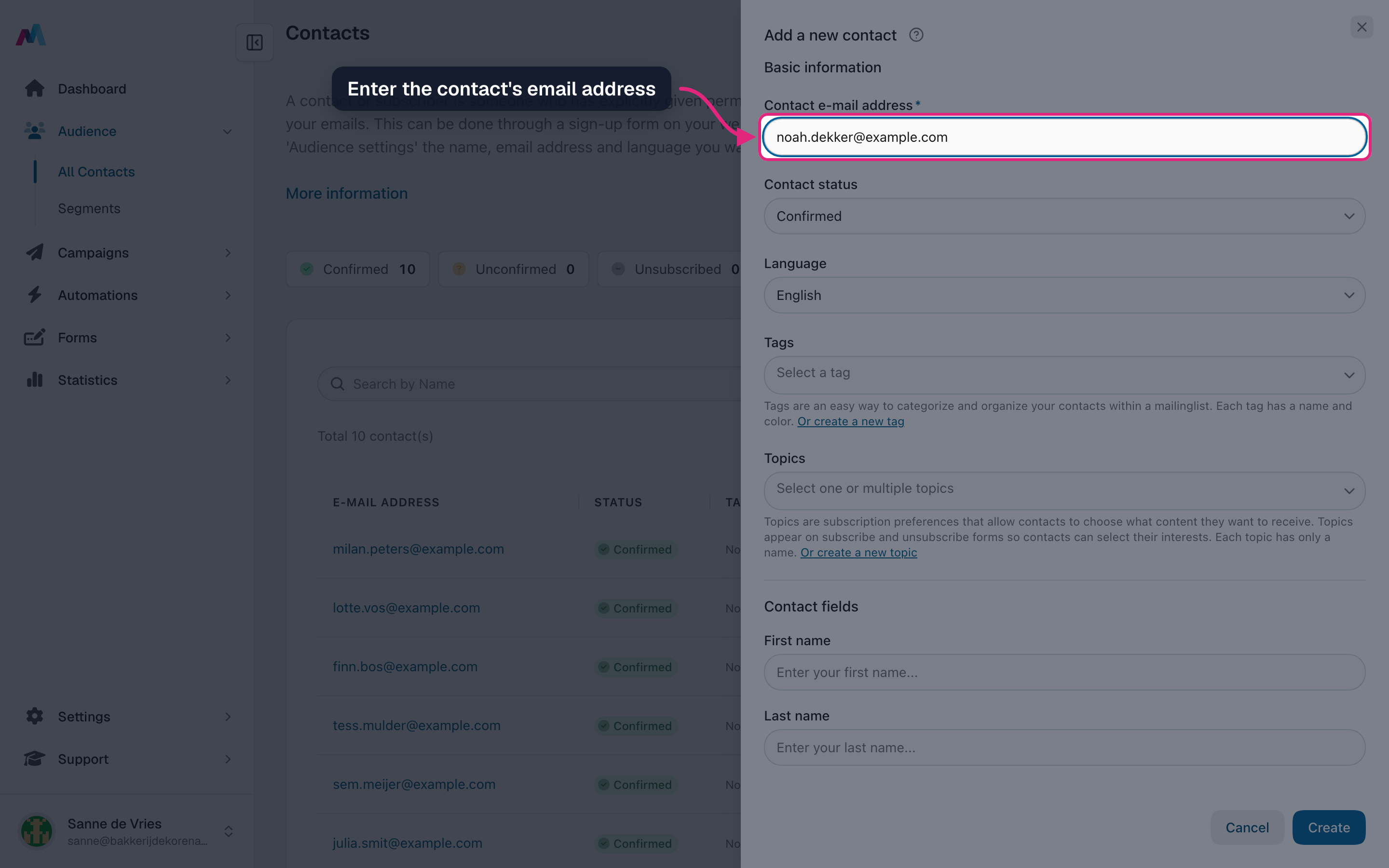
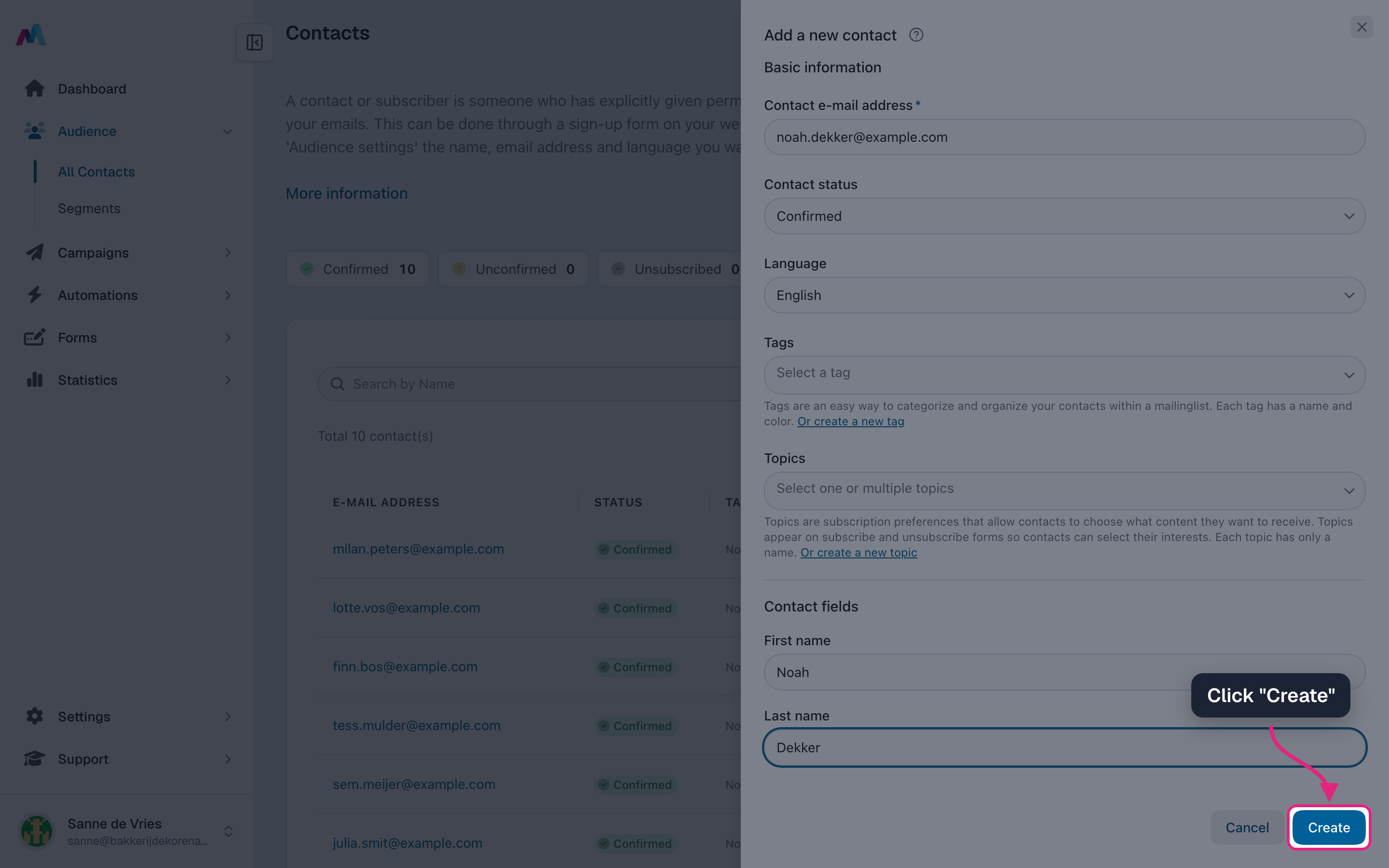
Enter the contact's email address. Status and language are filled in for you; change them if needed.
-
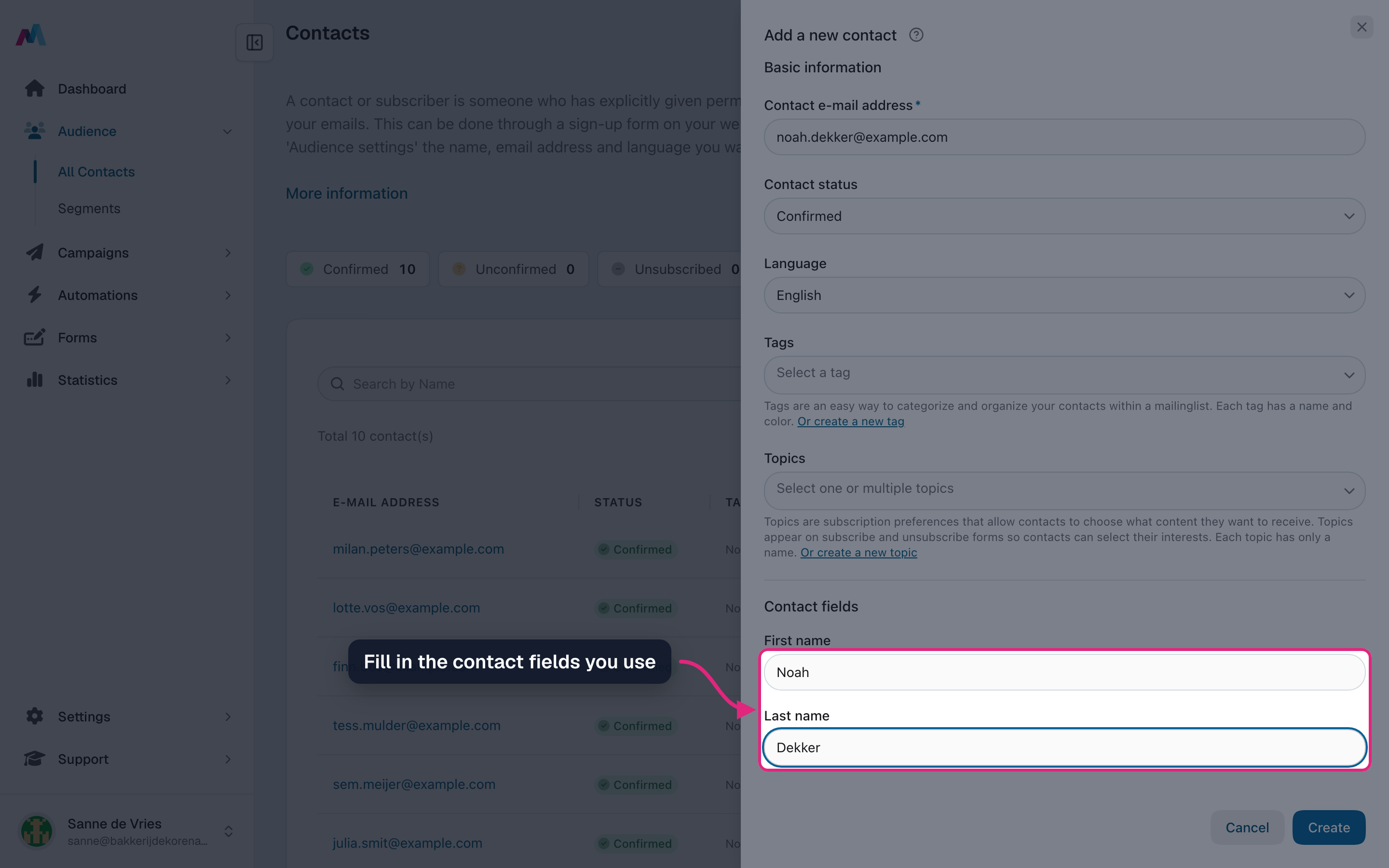
Fill in the contact fields you use, such as first and last name.
-
Click "Create".
-
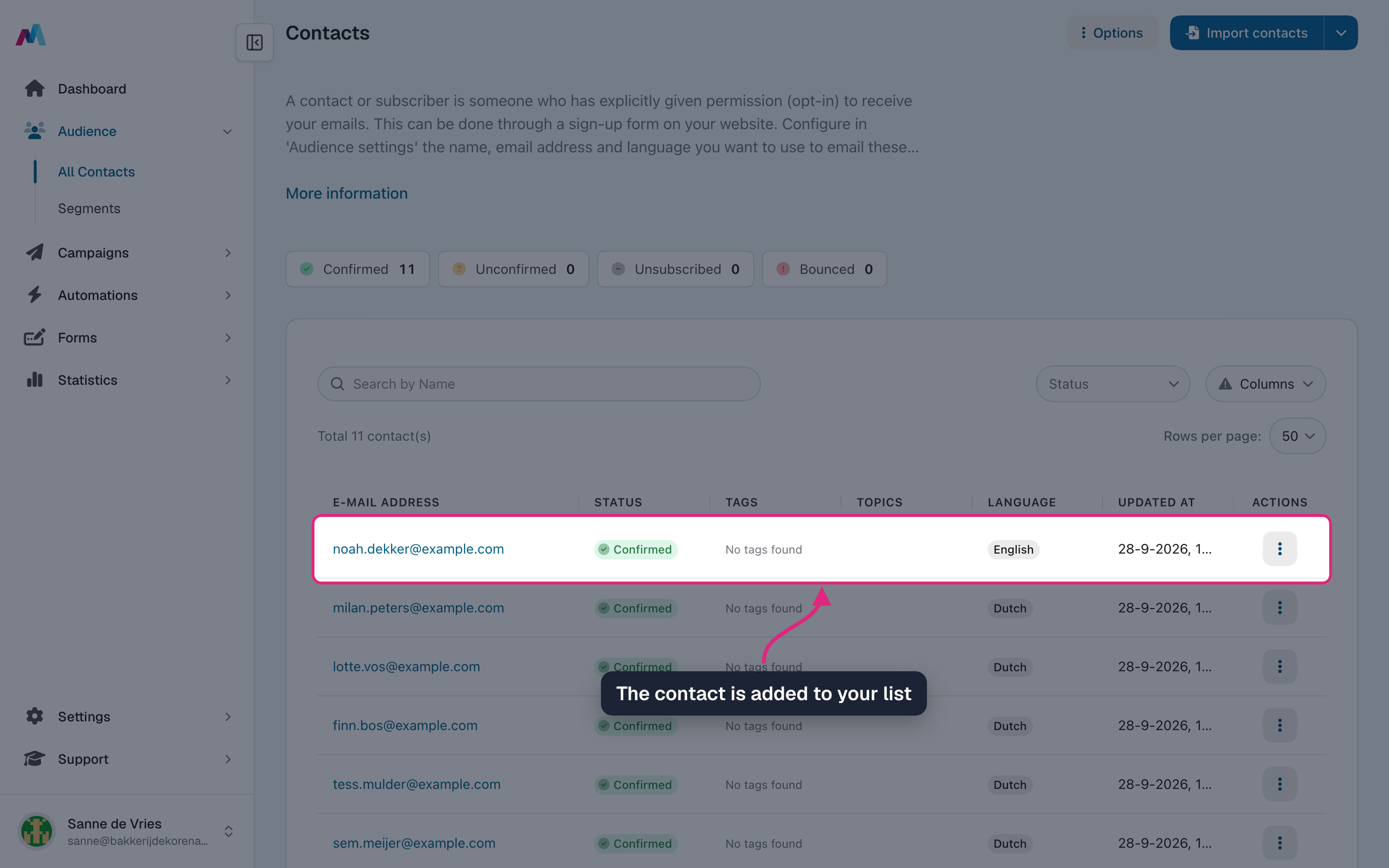
The contact now appears at the top of your contact list.
Form fields
Email (required)The contact identifier on this list. Editing it later updates the same record — it does not create a new contact.
Mailing list (locked after save)Pick the list when you create the contact. Once saved, this field is disabled.
StatusConfirmed, Unconfirmed, Unsubscribed, or Bounced. New signups via a double opt-in form start as Unconfirmed until they click the confirmation link. Manually setting Unsubscribed is the same as if the contact clicked unsubscribe in an email — they will not receive future campaigns.
LanguageUsed to send the right localized version of campaigns and transactional emails. Set this if you maintain multilingual templates.
TagsColor-coded labels you can attach to contacts to segment them later (e.g. "VIP", "newsletter"). Manage tags in Settings.
TopicsThe interests this contact chose, for example on your subscribe form. Only the topics of your audience are listed.
Custom fieldsDefined per mailing list. Field types include text, textarea, email, number, dropdown, radio, checkbox, and date.
What happens to a contact's data when I delete them?
The contact record and all custom-field values are removed. Past campaign statistics that mentioned the recipient stay intact at the aggregate level but the individual row is no longer attributable.
Can I move a contact from one list to another?
No — a contact belongs to exactly one mailing list and that assignment is locked from the moment you save. To get someone onto a different list, add them there as a new contact (and, if they no longer belong on the original list, unsubscribe or delete them there). The two records are independent — they do not share history or custom-field values.
Why is a contact missing values for some custom fields?
Custom fields are scoped to a mailing list. A contact that joined via a different list (or imported without that column) will have empty values for fields defined elsewhere.
See also
Updated 4 days ago