
Topics (interests)
Interests your contacts choose themselves, like "Recipes" or "Offers". Add them to your audience, then mail only the people who picked them.
Interests your contacts choose themselves, like "Recipes" or "Offers". Add them to your audience, then mail only the people who picked them.
A topic is just a name. Once you add it to your audience in "Audience settings", contacts can tick it on your subscribe form and on the unsubscribe page. You can also set it yourself on a contact or during an import. A segment on that topic then lets you send only to the contacts who want it.
Create a topic and add it to your audience
-
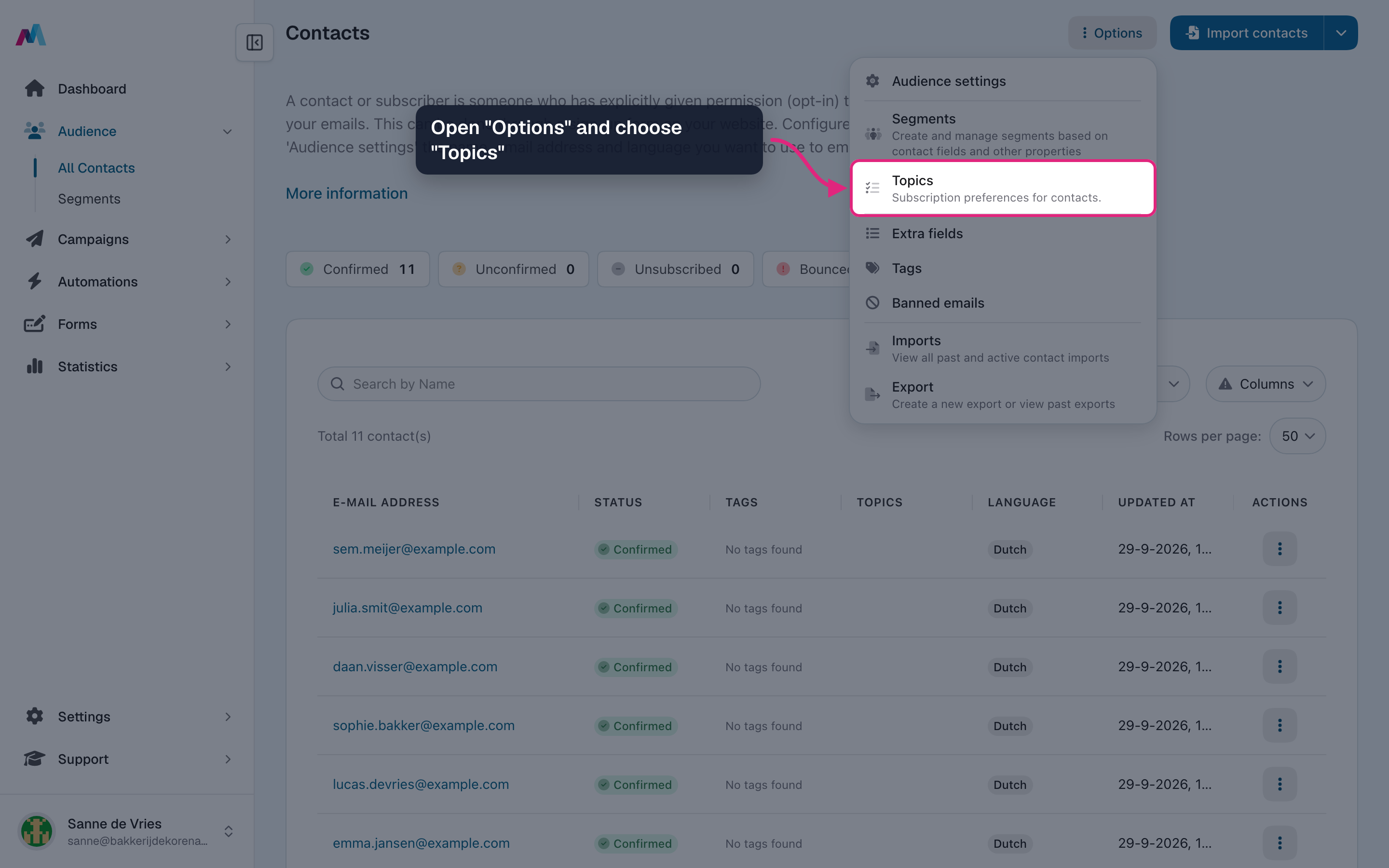
On Contacts, open "Options" and choose "Topics".
-
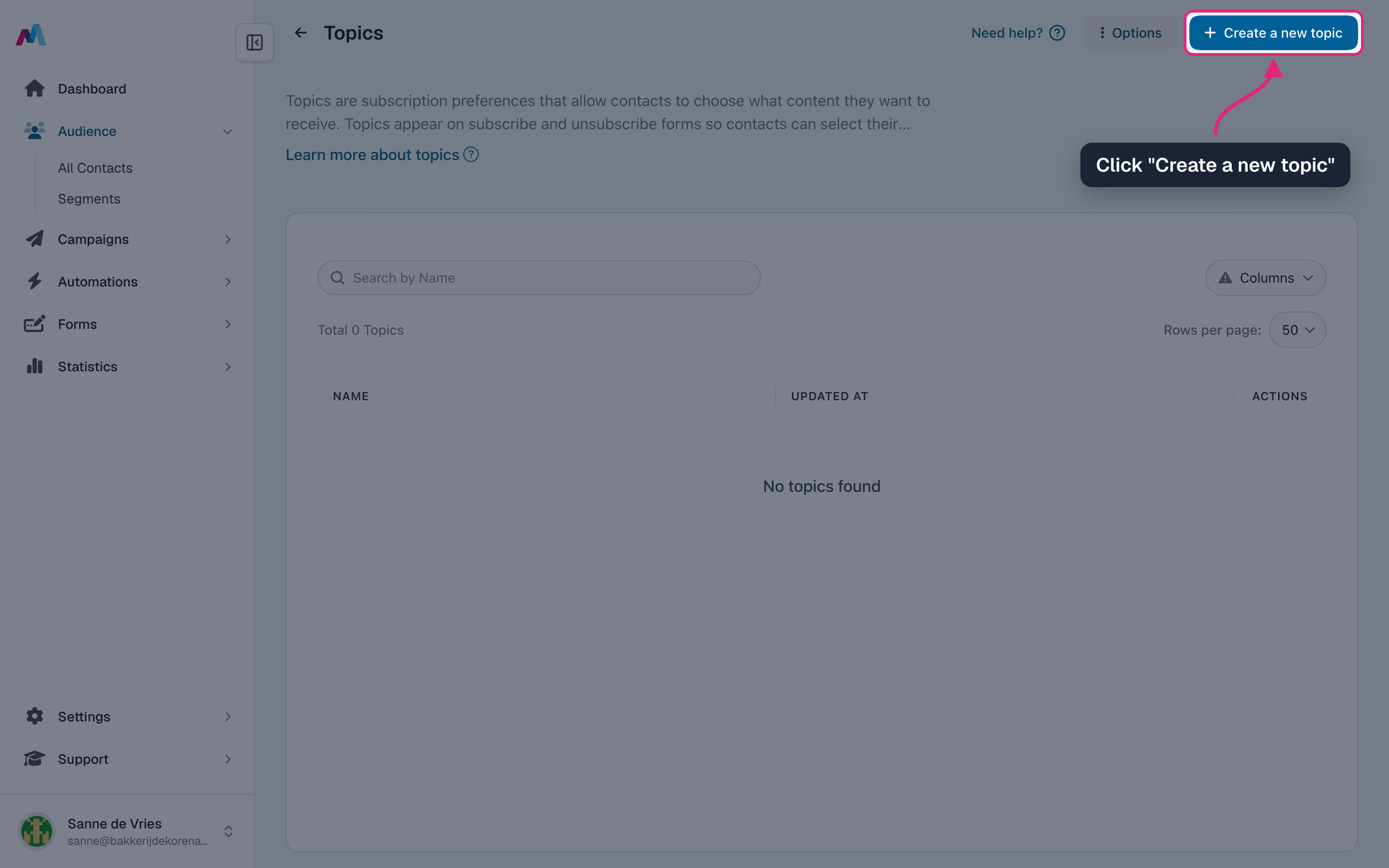
Click "Create a new topic".
-
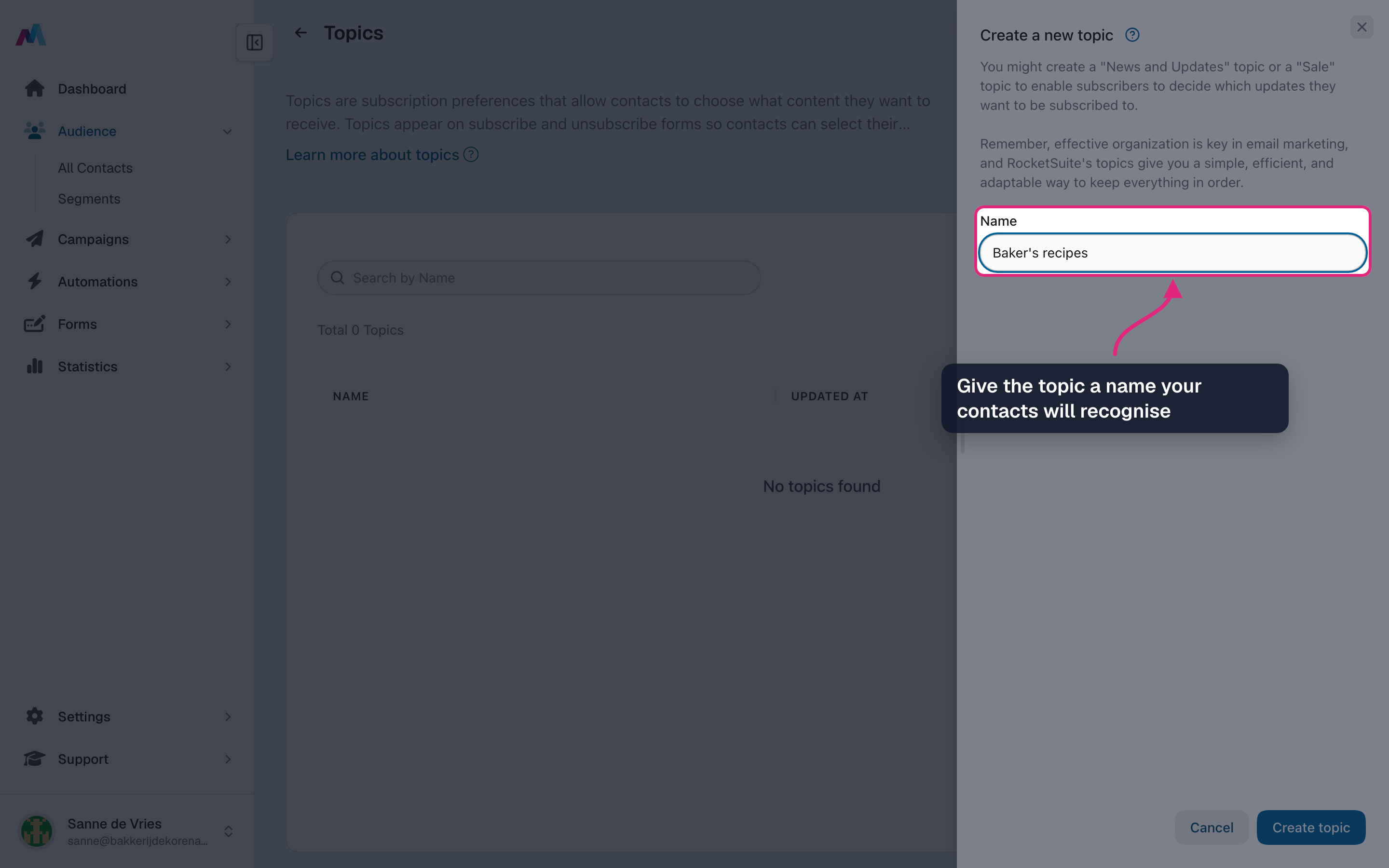
Give the topic a name your contacts will recognise. They see this name on your forms.
-
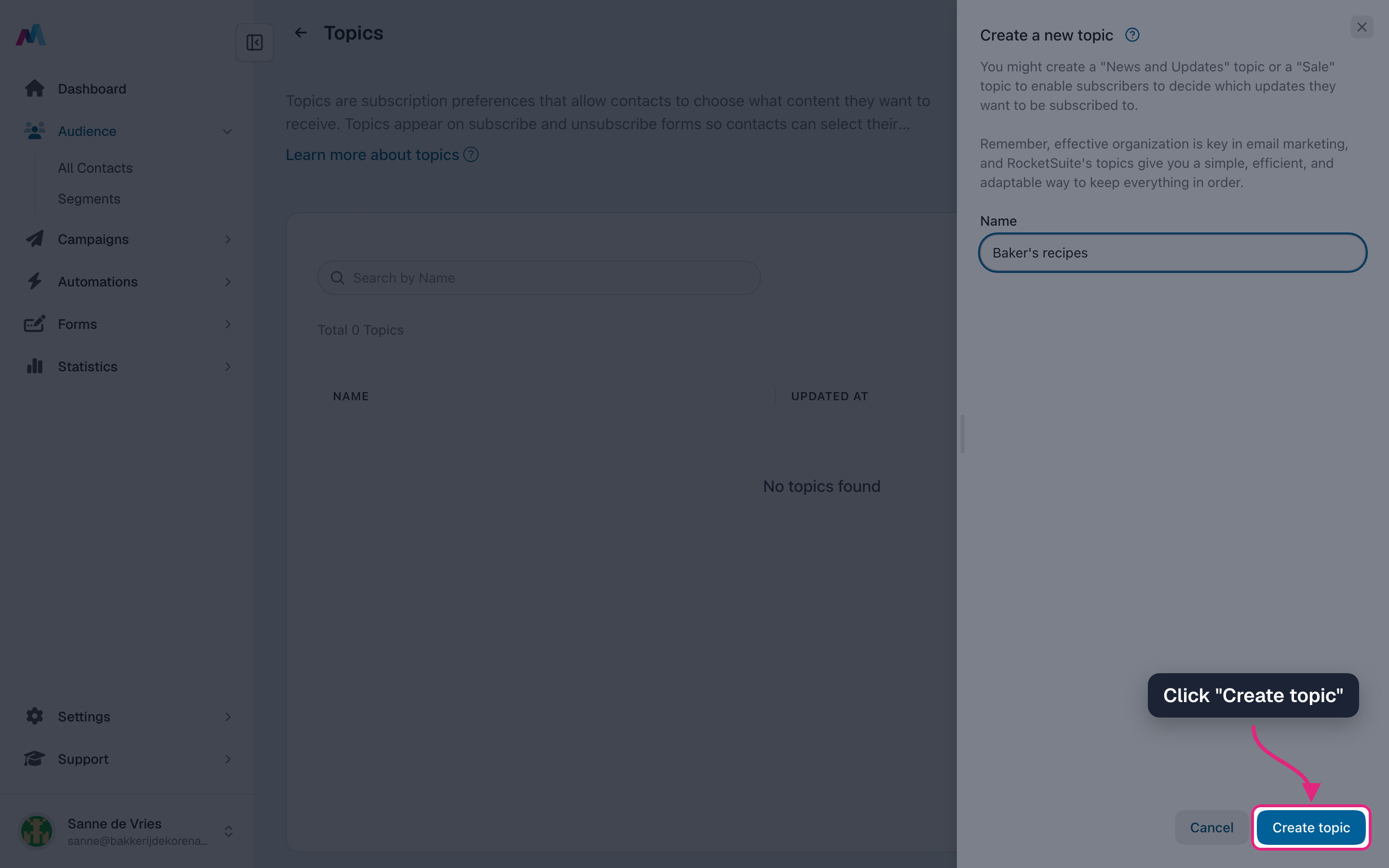
Click "Create topic".
-
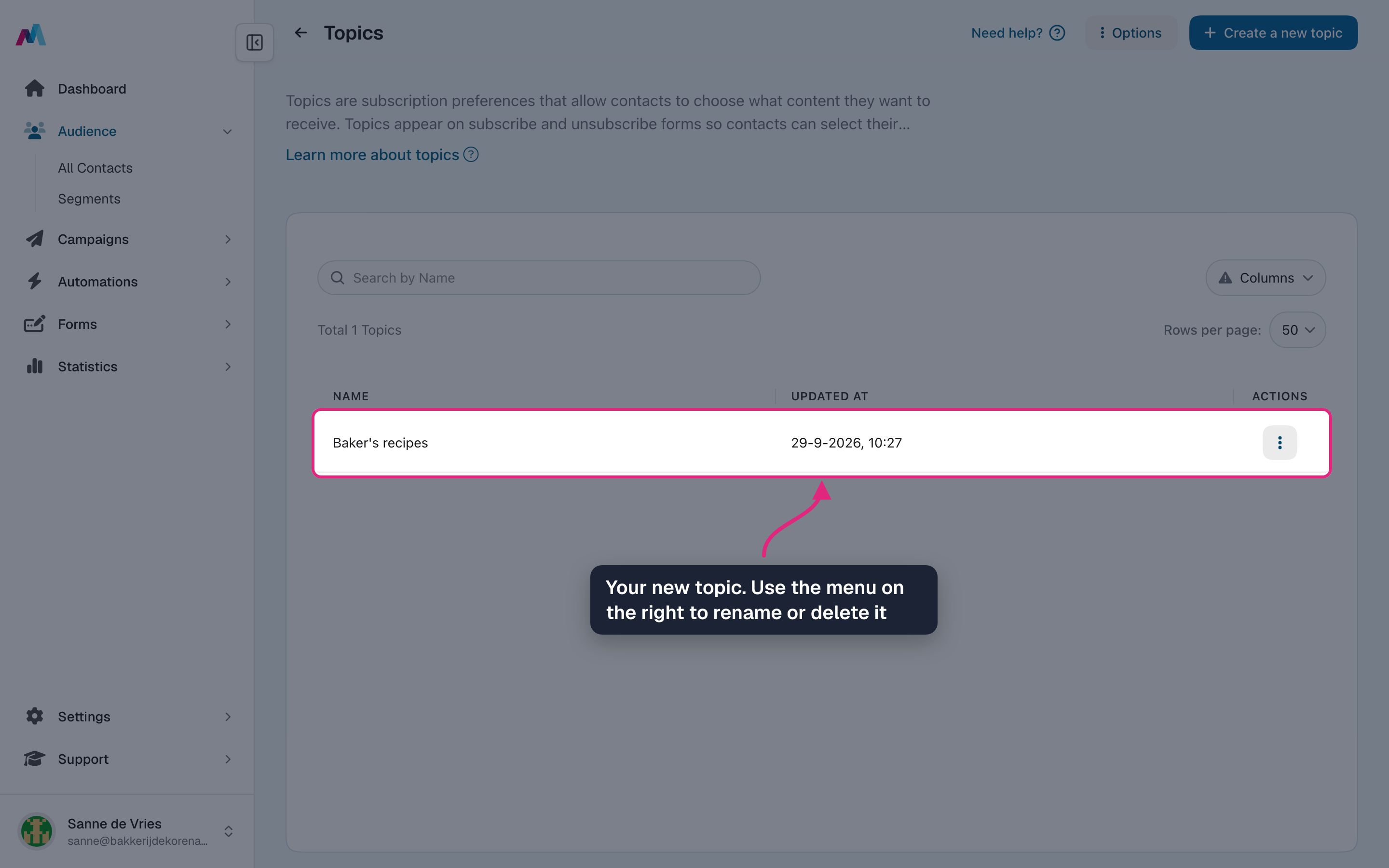
The topic is in the list. Use the menu at the end of the row to rename or delete it.
-
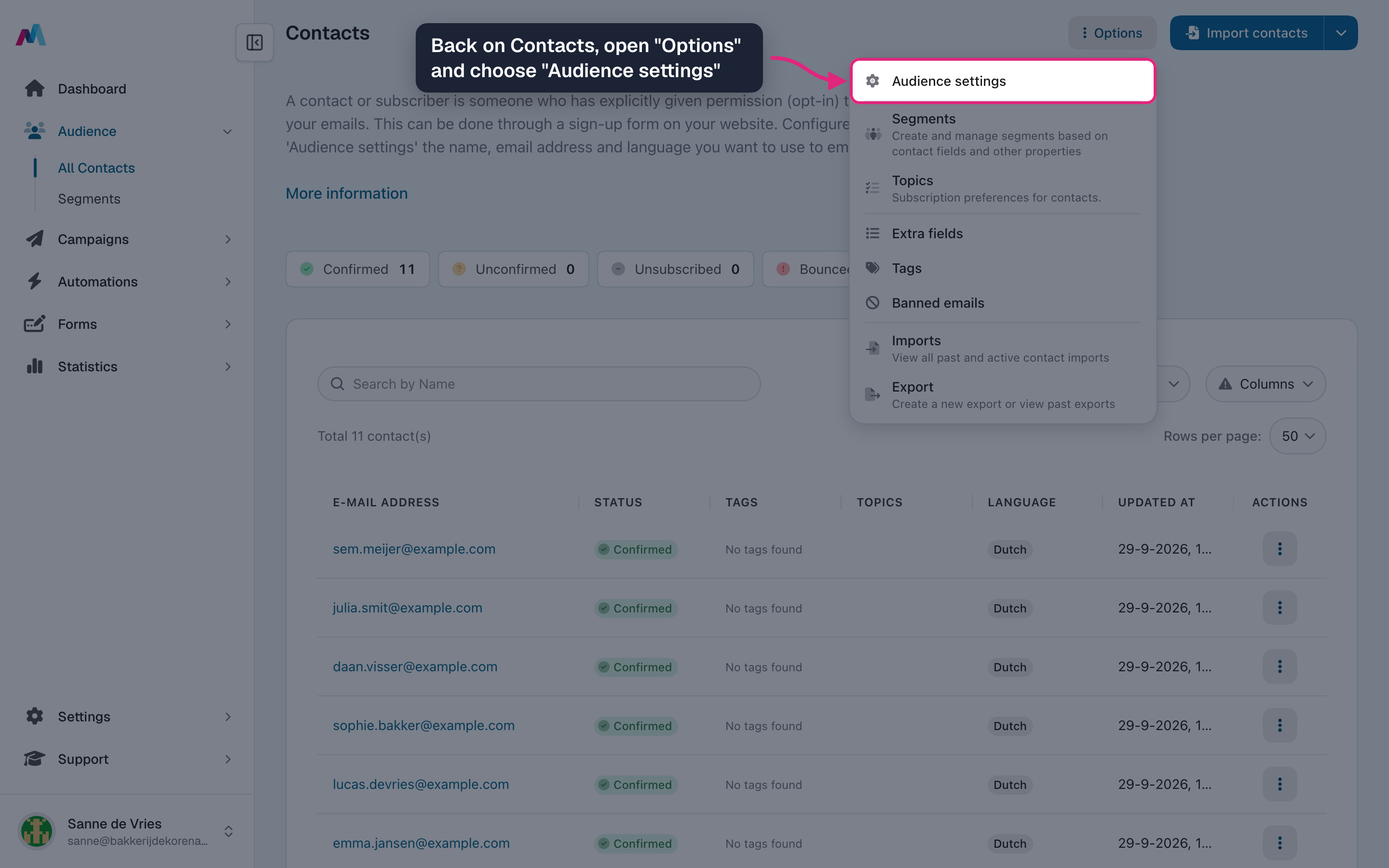
Back on Contacts, open "Options" and choose "Audience settings".
-
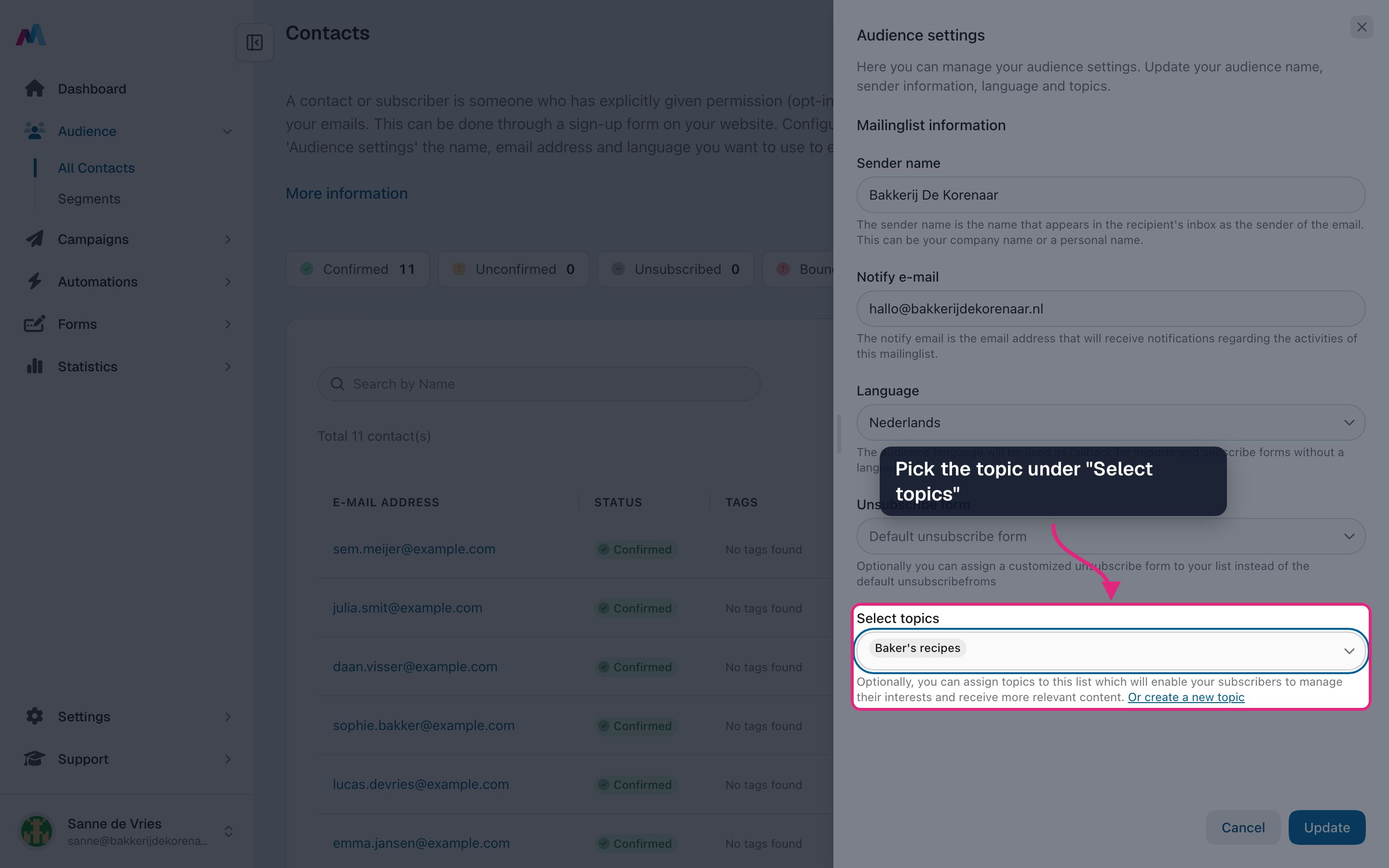
Pick the topic under "Select topics".
-
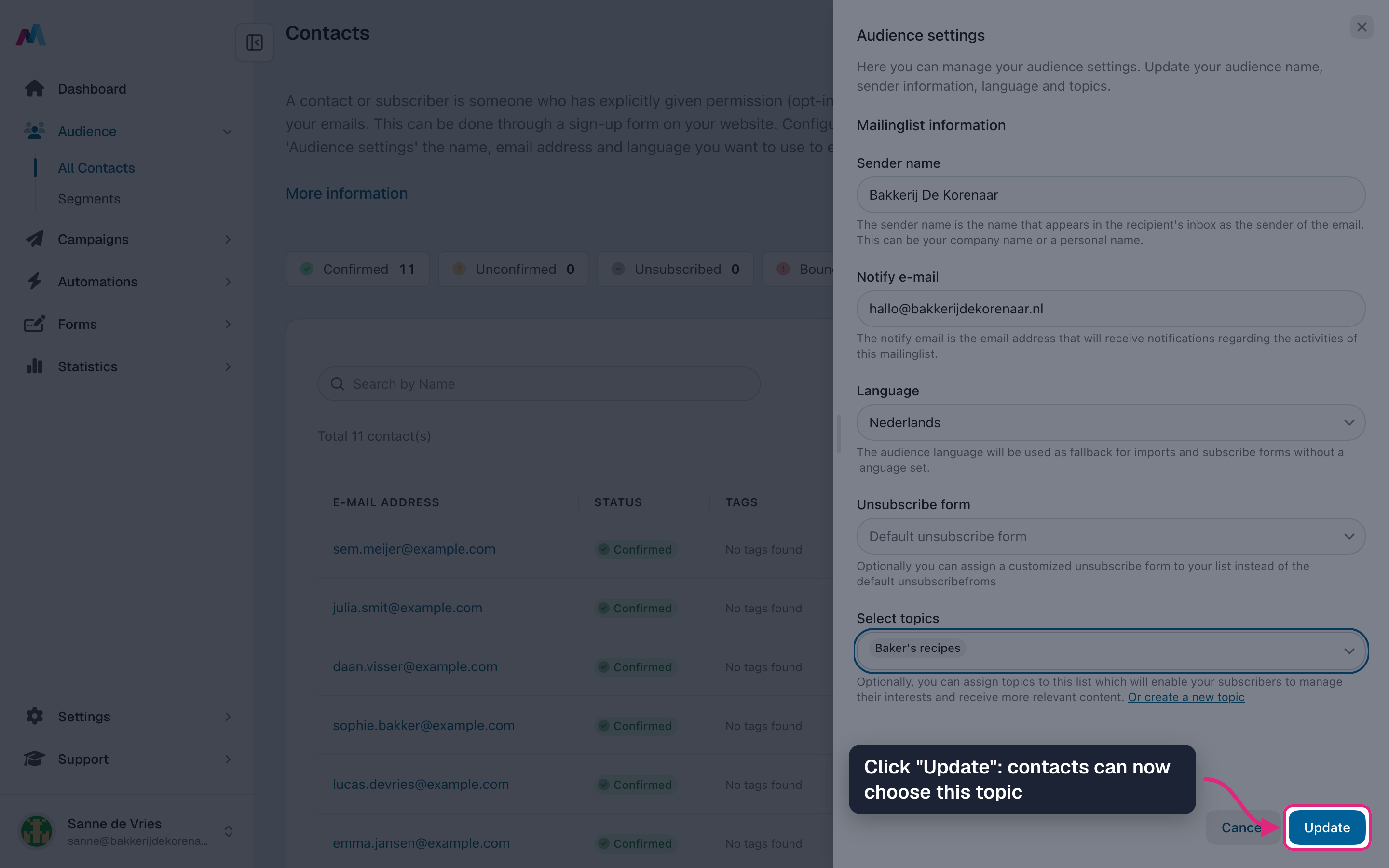
Click "Update". Your contacts can now choose this topic.
Give contacts a topic and mail them
-
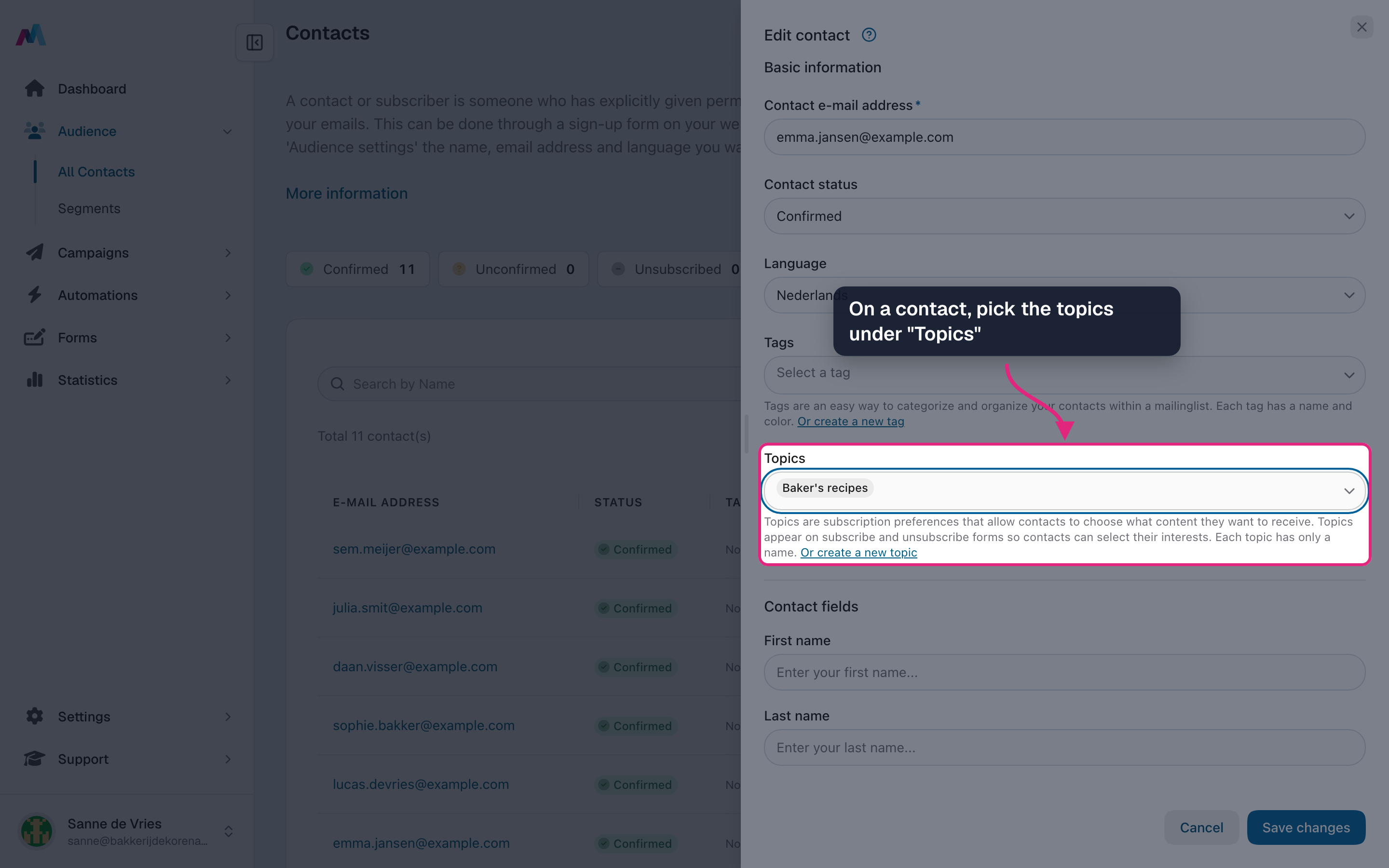
To set topics yourself, open a contact, click "Edit contact" and pick them under "Topics". Only the topics of your audience are listed.
-
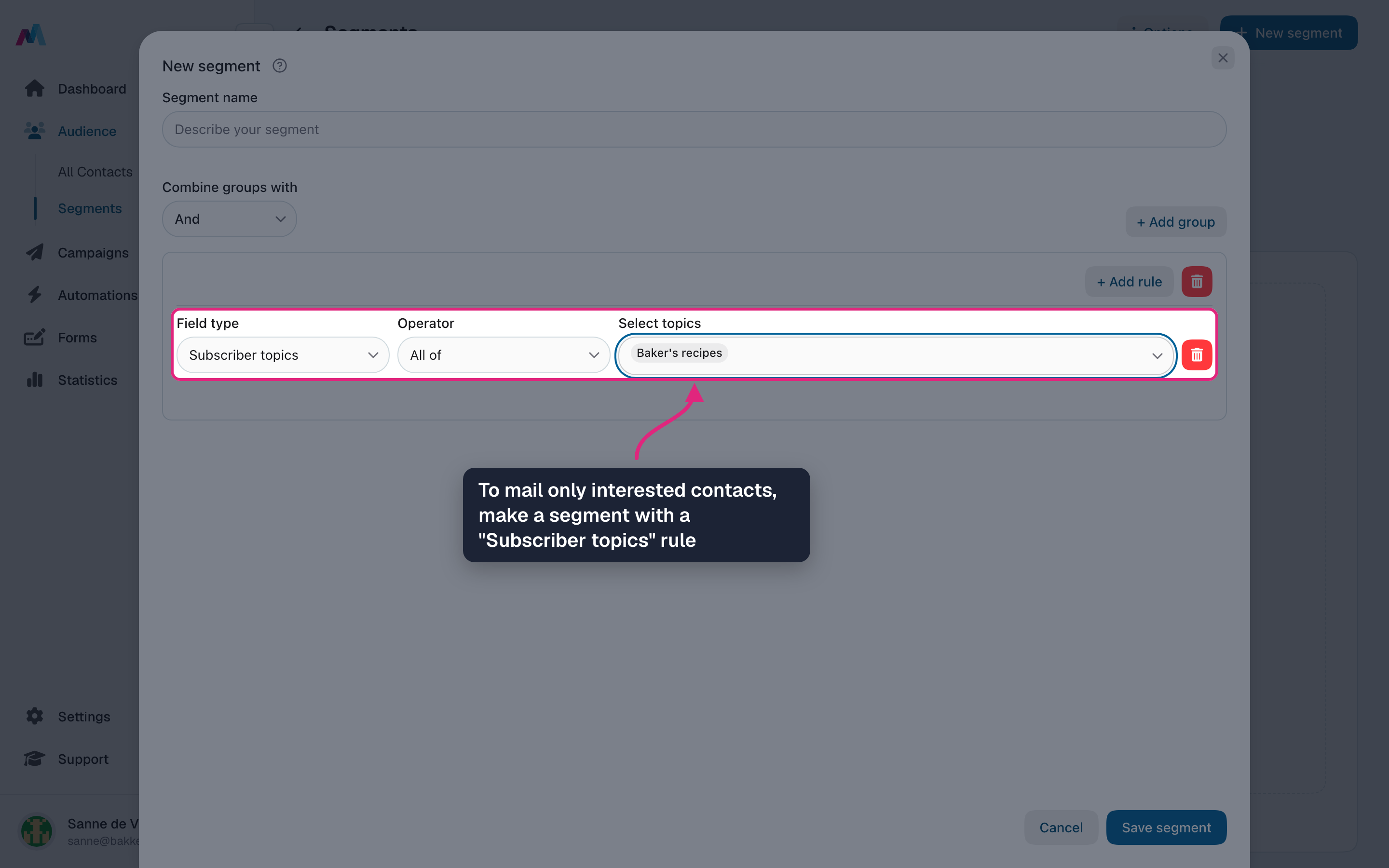
To mail only interested contacts, make a segment with the rule "Subscriber topics" and pick the topic. Then choose that segment under "Send to" in your campaign.
A new topic is not on your forms yetA topic you create on the Topics page is not added to your audience by itself. Add it in "Audience settings" first, otherwise contacts will not see it.
Fewer full unsubscribesWhen your audience has topics, the unsubscribe page shows them first. A contact can untick the topics they no longer want and stay subscribed to the rest.
What is the difference between a topic and a tag?
A tag is a label you give contacts yourself; they never see it. A topic is a choice your contacts can see and change themselves on your forms. See "Topics vs. tags" below.
How do contacts choose their topics?
- On a subscribe form: once your audience has topics, the form editor offers a topics field with a checkbox per topic. Add it to your form.
- On the unsubscribe page: contacts see "Newsletter preferences" with your topics, their own choices already ticked, and can save changes.
- You can also set topics for them: on a contact under "Topics", or in the "Topics" section of an import.
Can I send a campaign only to people interested in one topic?
Yes. Make a segment with the rule "Subscriber topics", choose "Is one of", "All of" or "None of", and pick the topics. Then choose that segment under "Send to" in your campaign.
Can I rename a topic?
Yes. Open the menu at the end of the row and choose "Edit". Contacts who picked the topic keep it; they just see the new name.
What happens when I delete a topic?
A topic that is still in your audience or used in a segment cannot be deleted: remove it there first. Once deleted, the topic is removed from every contact that had it. This cannot be undone.
Related
Updated 4 days ago