
What are segments
A segment is a saved selection of your contacts, such as "everyone tagged Customer". Send a campaign or automation to a segment and only the contacts who match get it.
A segment is a saved selection of your contacts, such as "everyone tagged Customer". Send a campaign or automation to a segment and only the contacts who match get it.
You describe who belongs in a segment with rules, for example a tag, a field value or the date someone signed up. You never add contacts by hand: when a contact changes, the segment follows.
Create a segment
-
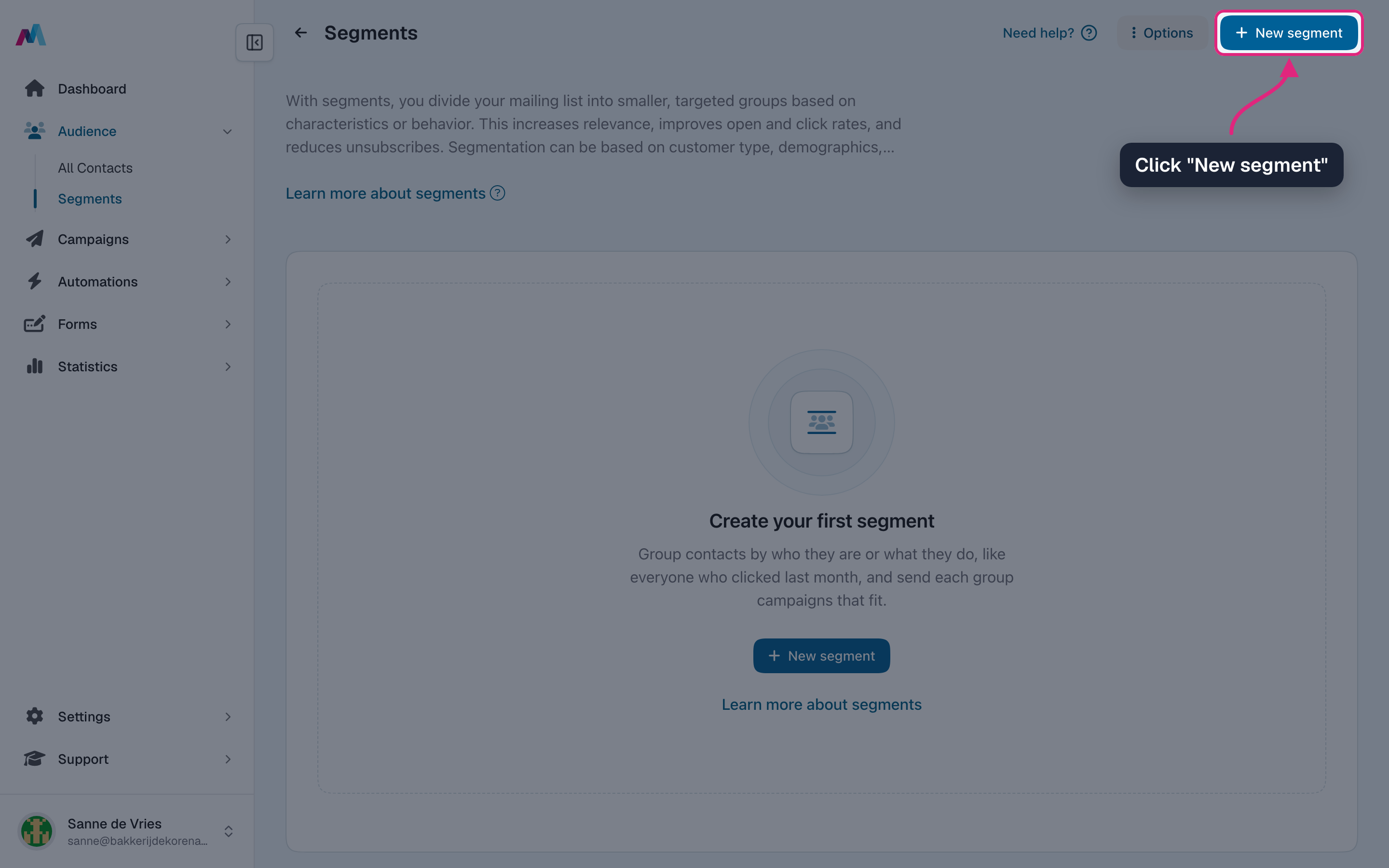
Go to Segments and click "New segment".
-
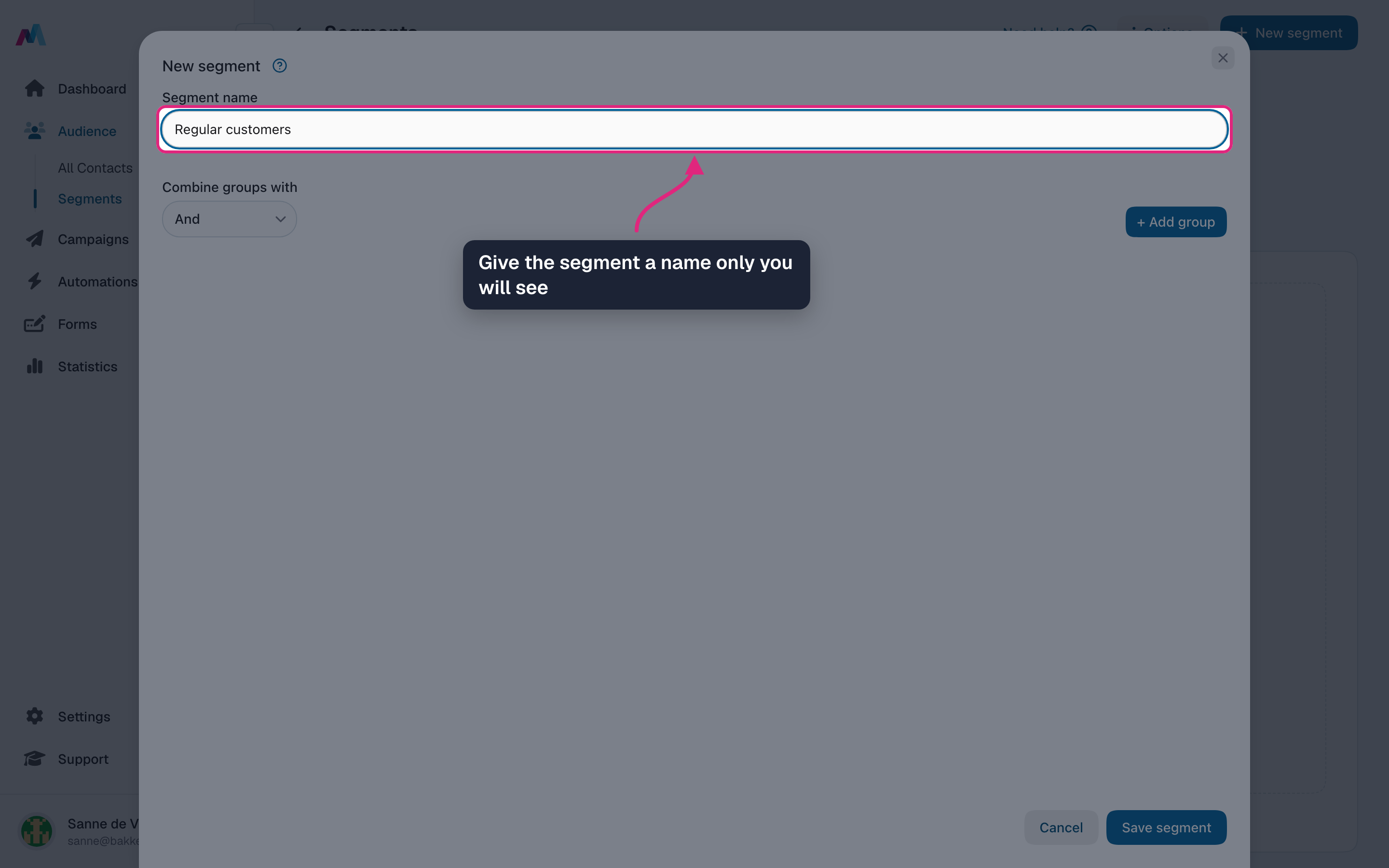
Give the segment a name. Only you and your team see it, so describe who is in it, like "Regular customers".
-
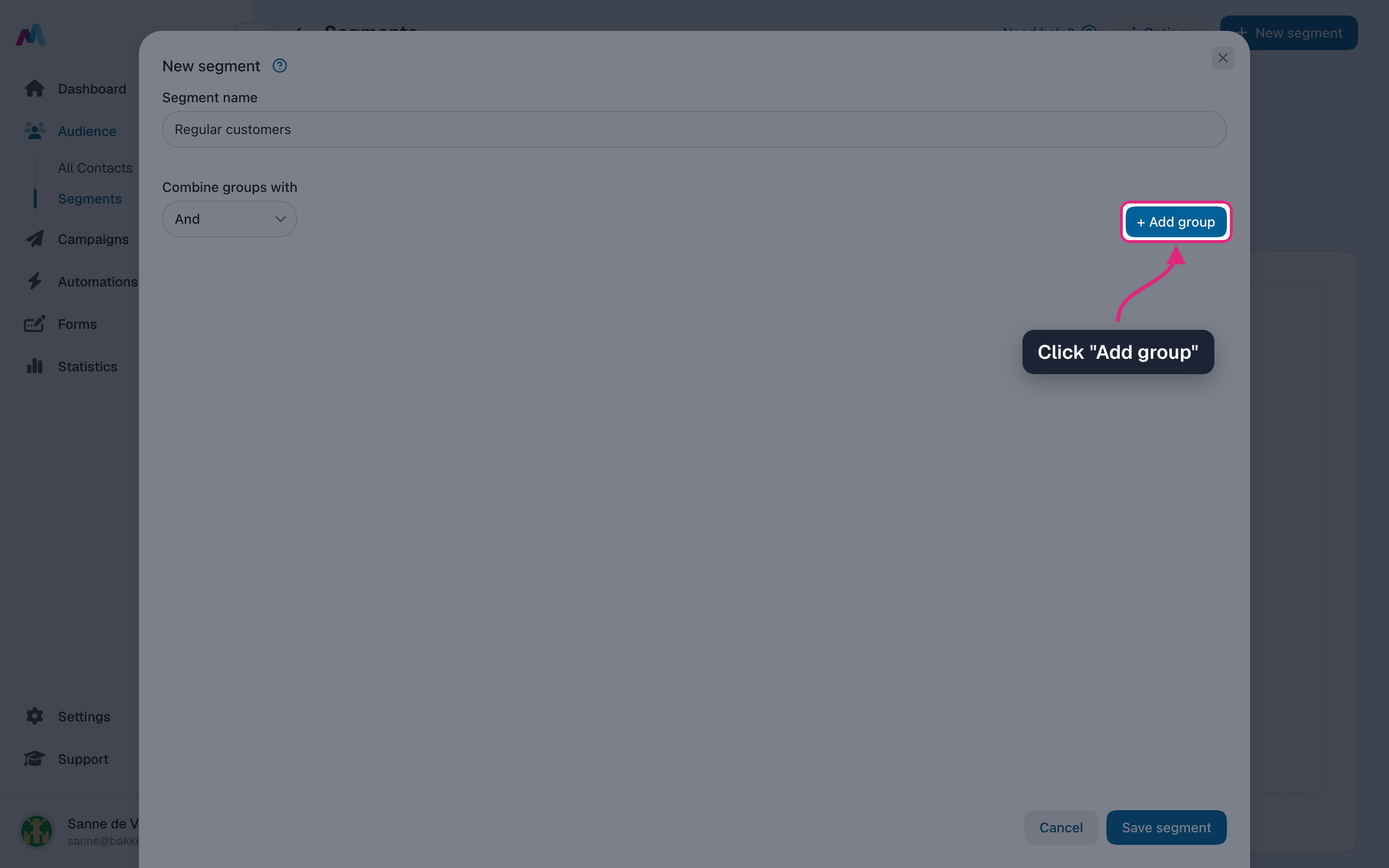
Click "Add group". A group with one empty rule appears.
-
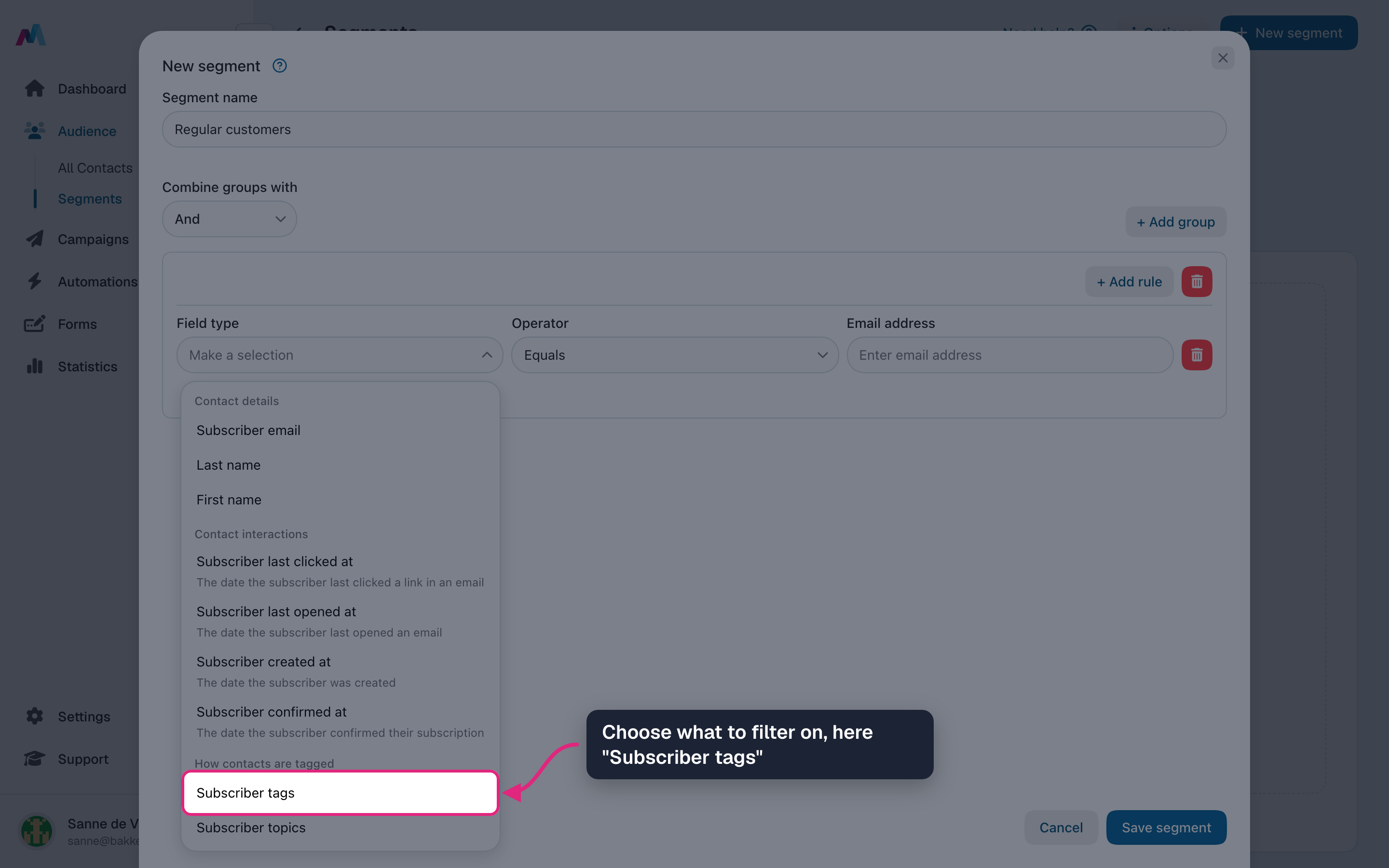
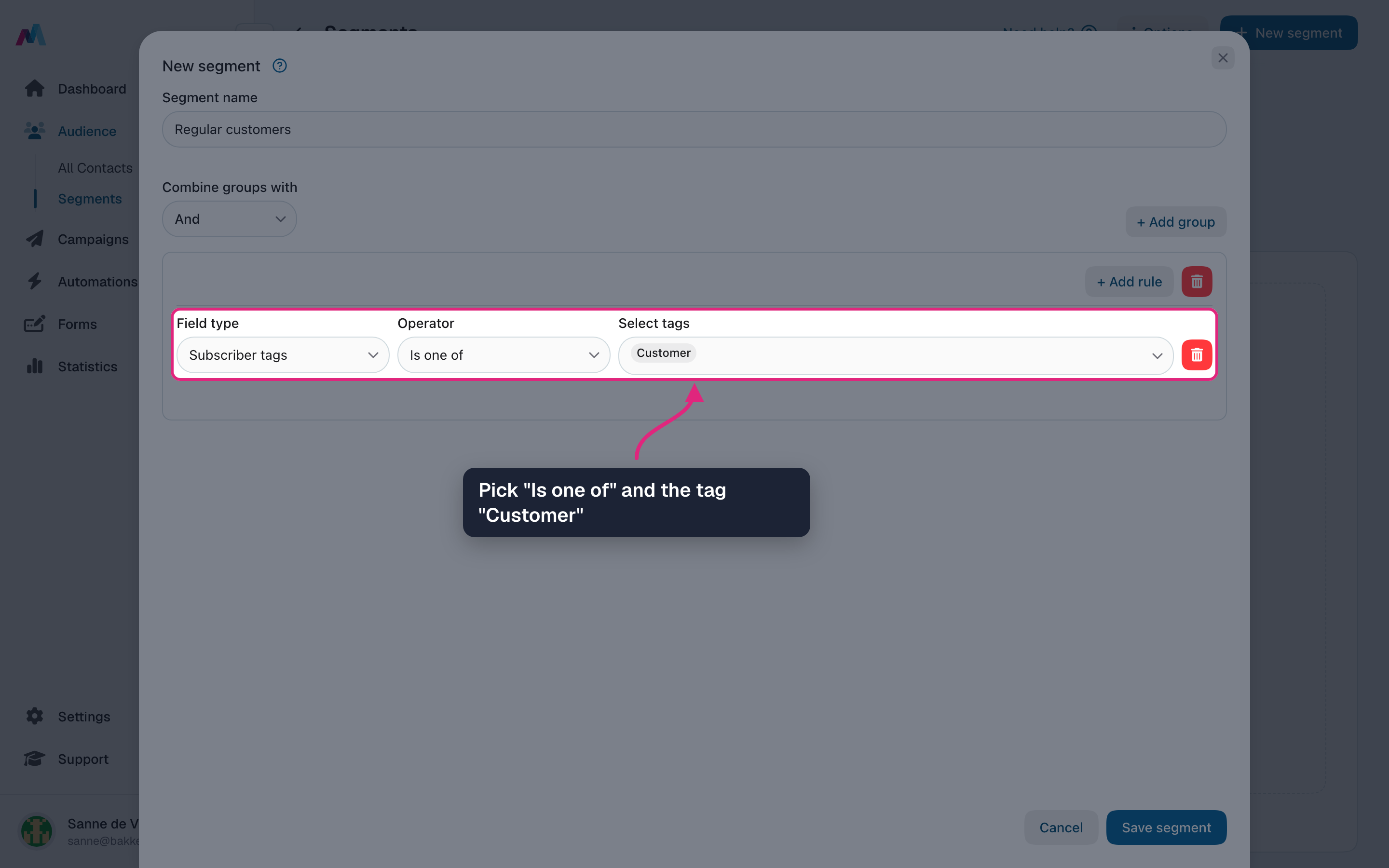
Under "Field type", choose what to filter on. Here we pick "Subscriber tags".
-
Pick the operator "Is one of" and the tag "Customer". Everyone with that tag now matches the rule.
-
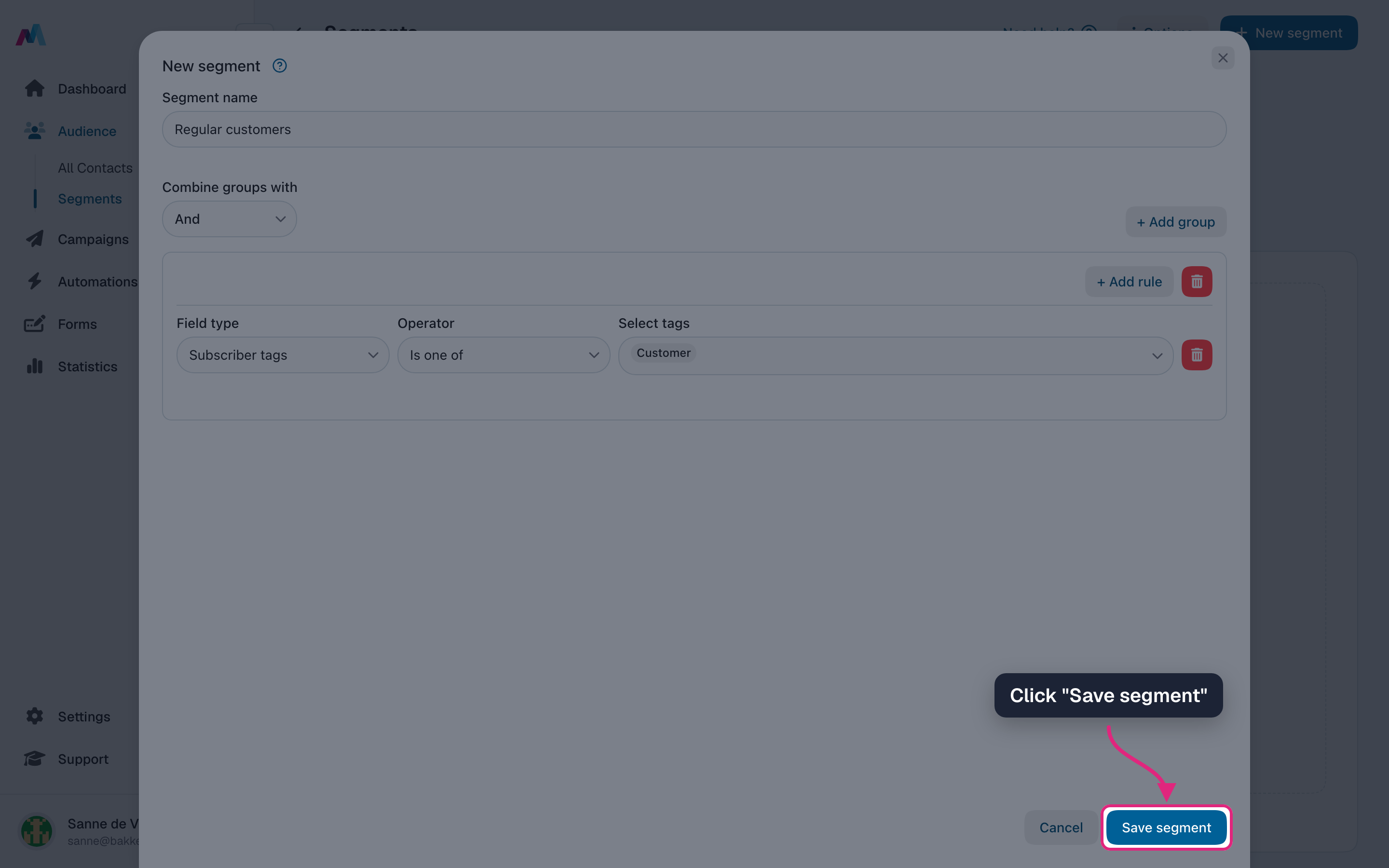
Click "Save segment".
-
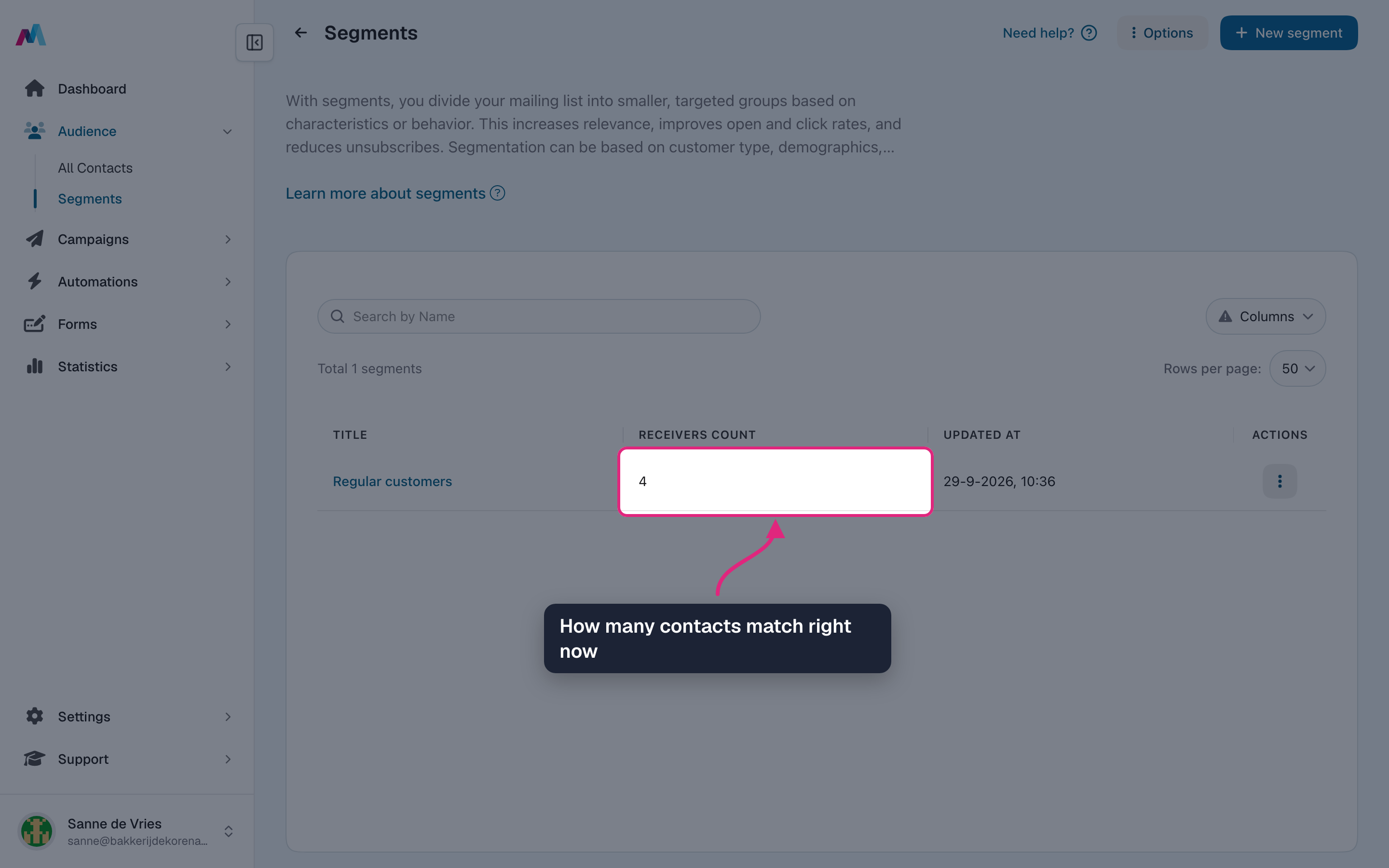
The overview shows how many contacts match right now. Counting can take a moment after saving.
-
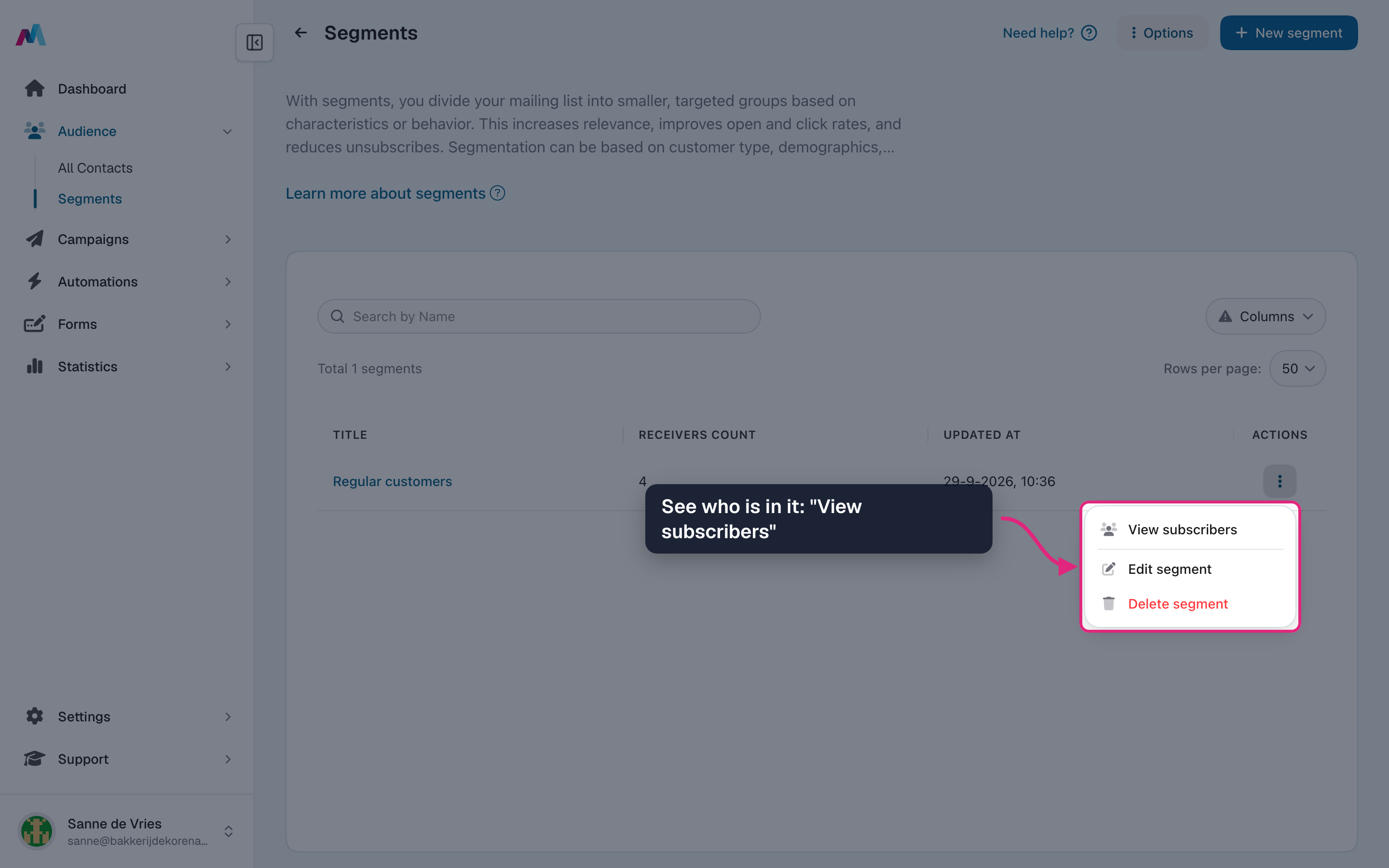
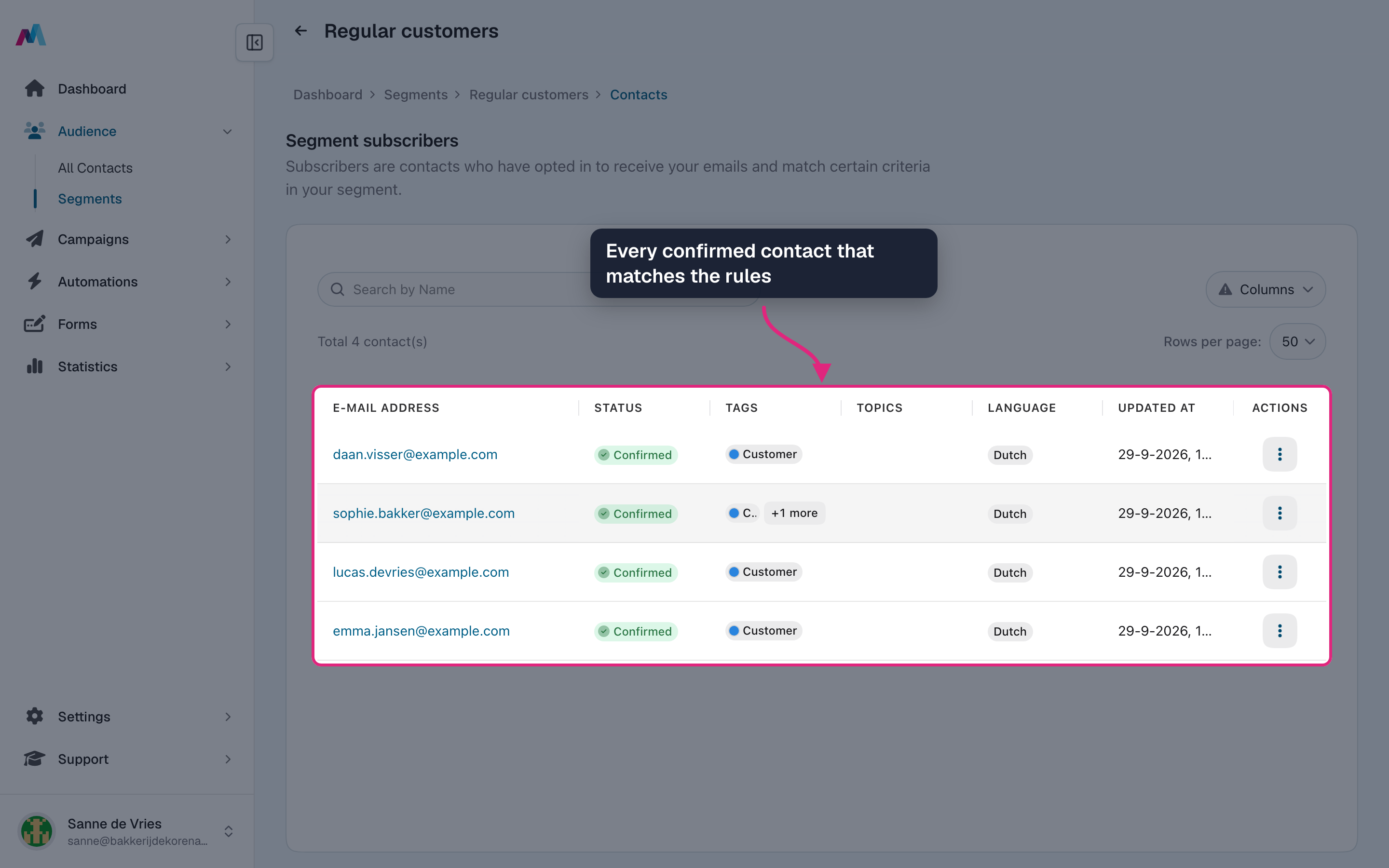
To see who is in it, open the segment's actions menu and choose "View subscribers". You can also click the segment name.
-
The list shows every confirmed contact that matches the rules at this moment.
Send a campaign to a segment
-
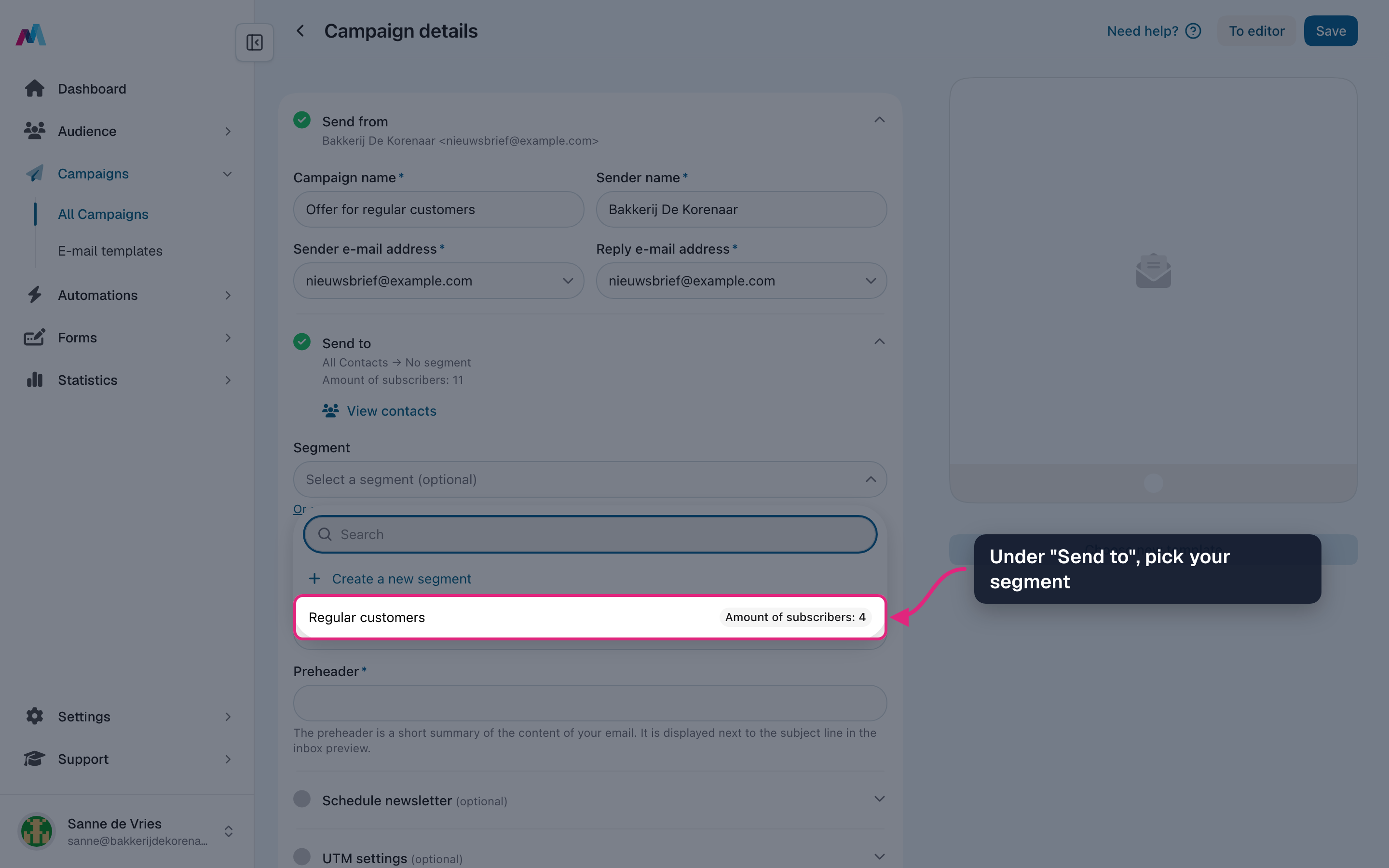
In the campaign details, open the "Segment" field under "Send to" and pick your segment. No segment yet? Choose "Create a new segment" at the top of the list.
-
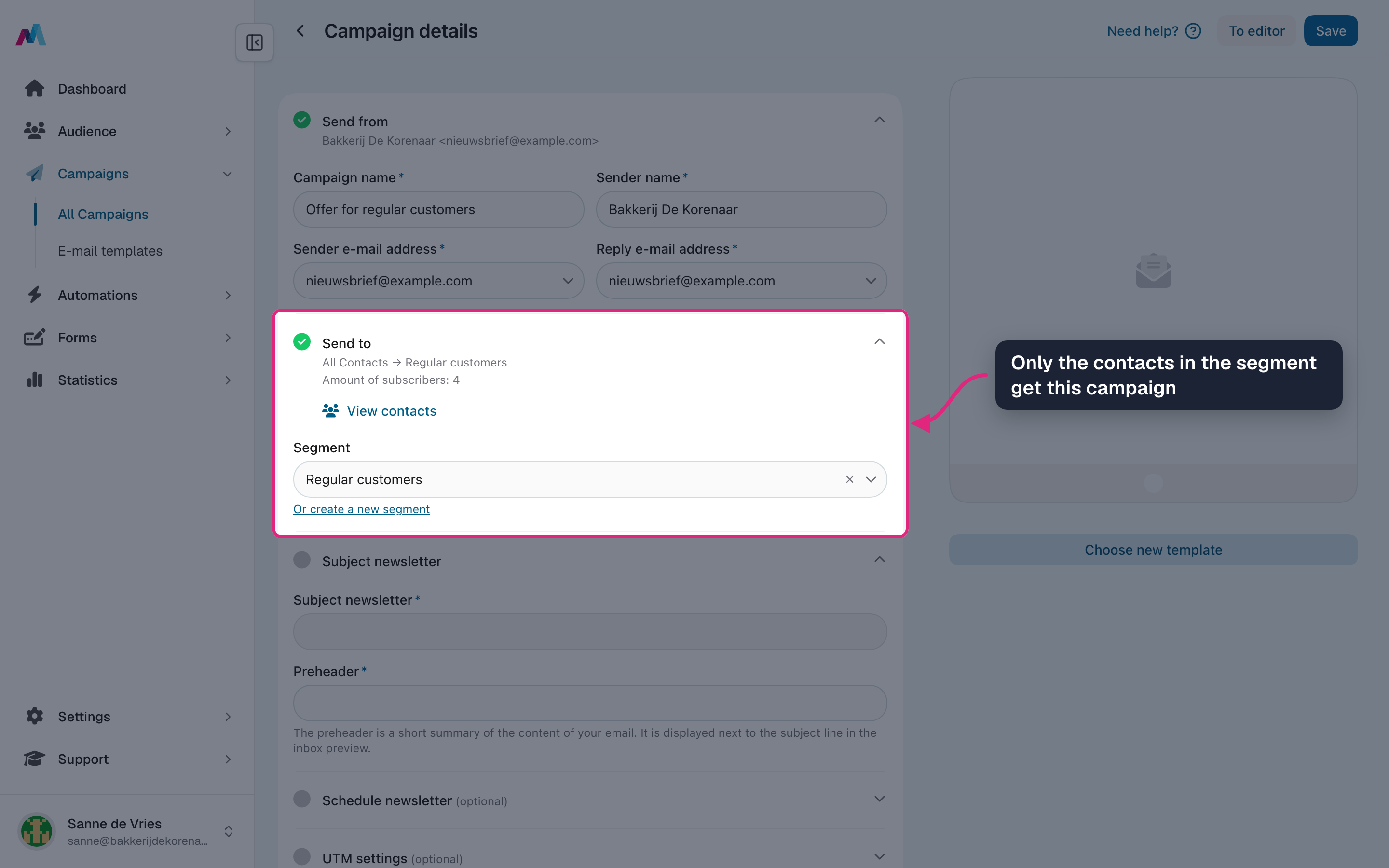
"Send to" now shows the segment and how many contacts are in it. Only those contacts get the campaign.
Segments keep themselves up to dateWho is in a segment is worked out again when a campaign is sent and when an automation runs. Someone who gets the tag tomorrow is included in next week's campaign without you doing anything.
Only confirmed contactsThe count and the subscribers list only include confirmed contacts. Unsubscribed or bounced contacts never receive a campaign, even when they match the rules.
Segments in use by a campaignWhile a scheduled, sending or paused campaign uses a segment, you can't edit or delete that segment. Wait until the campaign is done or pick another segment in the campaign first.
How do I make a segment of everyone with a certain tag?
Add a group with the rule "Subscriber tags", "Is one of" and pick the tag. Pick several tags to include anyone who has at least one of them, or use "All of" for contacts who have every selected tag. "None of" leaves those contacts out.
Can I select everyone who opened my last campaign?
Not for one specific campaign. The closest rule is "Subscriber last opened at" with "After date" set to the day you sent it: that includes everyone who opened any of your emails since then. "Subscriber last clicked at" works the same way for clicks.
How do I select contacts who live in a certain city?
You need a field for it on your mailing list, such as a text or dropdown field "City", filled in for your contacts. Then add a rule with that field, "Equals" and the city. A text value must match exactly, including capitals, so a dropdown field gives the most reliable results.
Is a segment updated automatically?
Yes. The rules stay the same, but who matches is checked again every time the segment is used. Dates in a rule are fixed dates, though: "After 1 September" does not move along with the calendar, so update such rules when you want a newer period.
Can I use a segment in an automation?
Yes. In the automation, choose a segment under "Select a segment (optional)". The automation then only runs for contacts in that segment. For a delay, MailCamp checks again after the wait, so someone who no longer matches is skipped.
Why is my segment empty, or does it show 0?
Right after saving, the count can take a moment; reload the overview. If it stays at 0, no confirmed contact matches every rule. Open "View subscribers" and loosen one rule at a time to find the one that filters too much.
Can I change a segment later?
Yes, choose "Edit segment" in its actions menu and click "Update segment" when you are done. The mailing list of a segment can't be changed, and a segment that a scheduled, sending or paused campaign uses can't be edited.
See also
Updated 4 days ago