
Merge tags and personalisation
Merge tags like {firstname} or {company} are placeholders in your campaign that get replaced with each recipient's real value at send time. Personalisation increases open and click rates without writing one email per recipient.
Merge tags like {firstname} or {company} are placeholders in your campaign that get replaced with each recipient's real value at send time. Personalisation increases open and click rates without writing one email per recipient.
Anywhere you can type text — subject line, pre-header, body — you can drop in a merge tag. At send time we look up the recipient's contact record and substitute the placeholder with whatever value is stored against that field. If the recipient has no value, an optional fallback kicks in.
Common merge tags
- {firstname} — the contact's first name. The most-used personalisation; remember that contacts without a first name will see the tag render empty, so write the surrounding copy with that in mind.
- {lastname} — the contact's last name. Often used together with {firstname} in the salutation of a more formal email.
- {email} — the contact's email address. Useful at the bottom of the email (e.g. "you are receiving this at {email}") for transparency.
- Custom field tags — anything you defined as a contact field appears as a tag using the field's key (e.g. {company}, {city}, {invoice_number}). The fields page is where you define and rename these.
Add a merge tag to a campaign
-
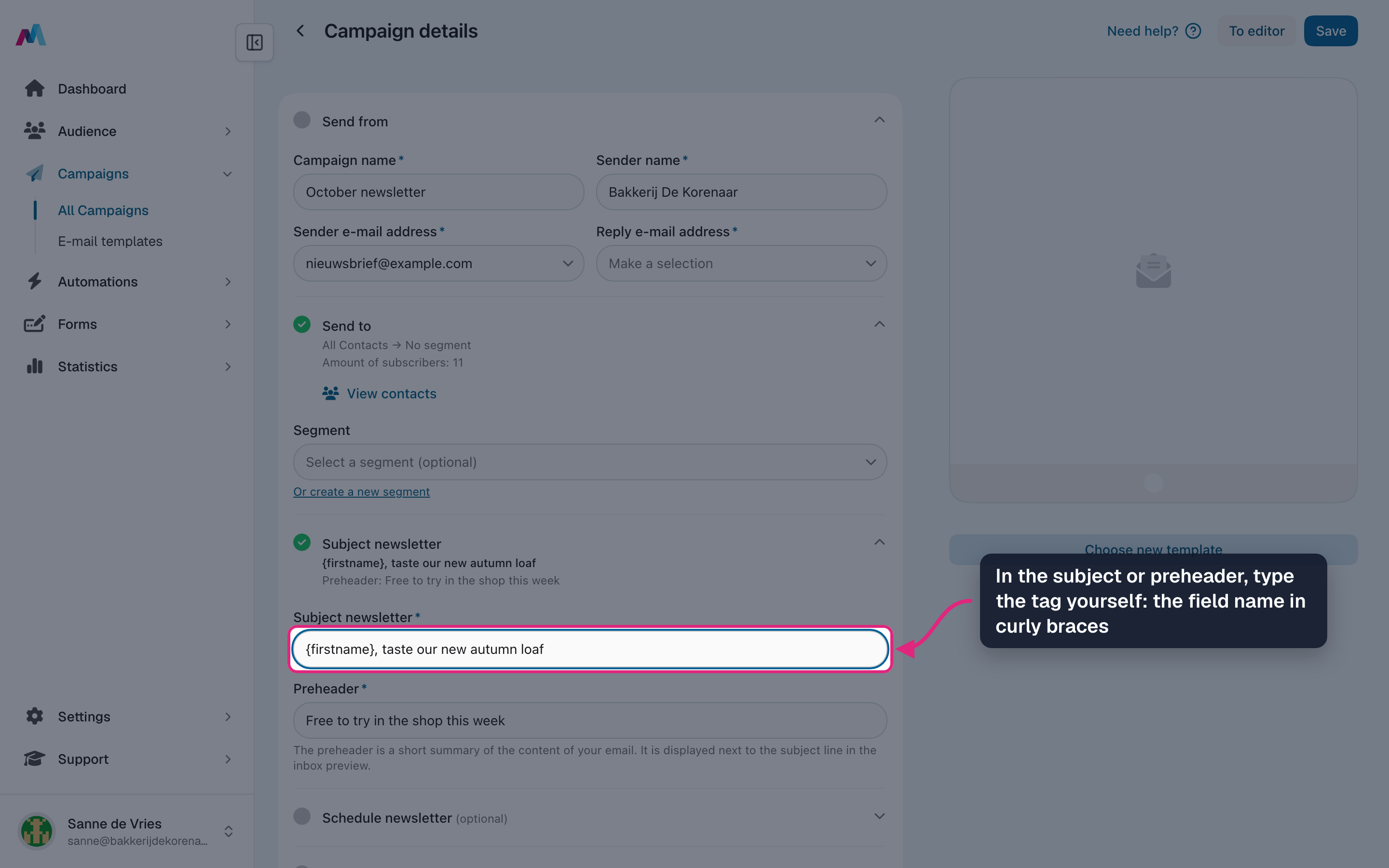
In the subject or preheader you type the tag yourself: the field name in curly braces, such as {firstname}.
-
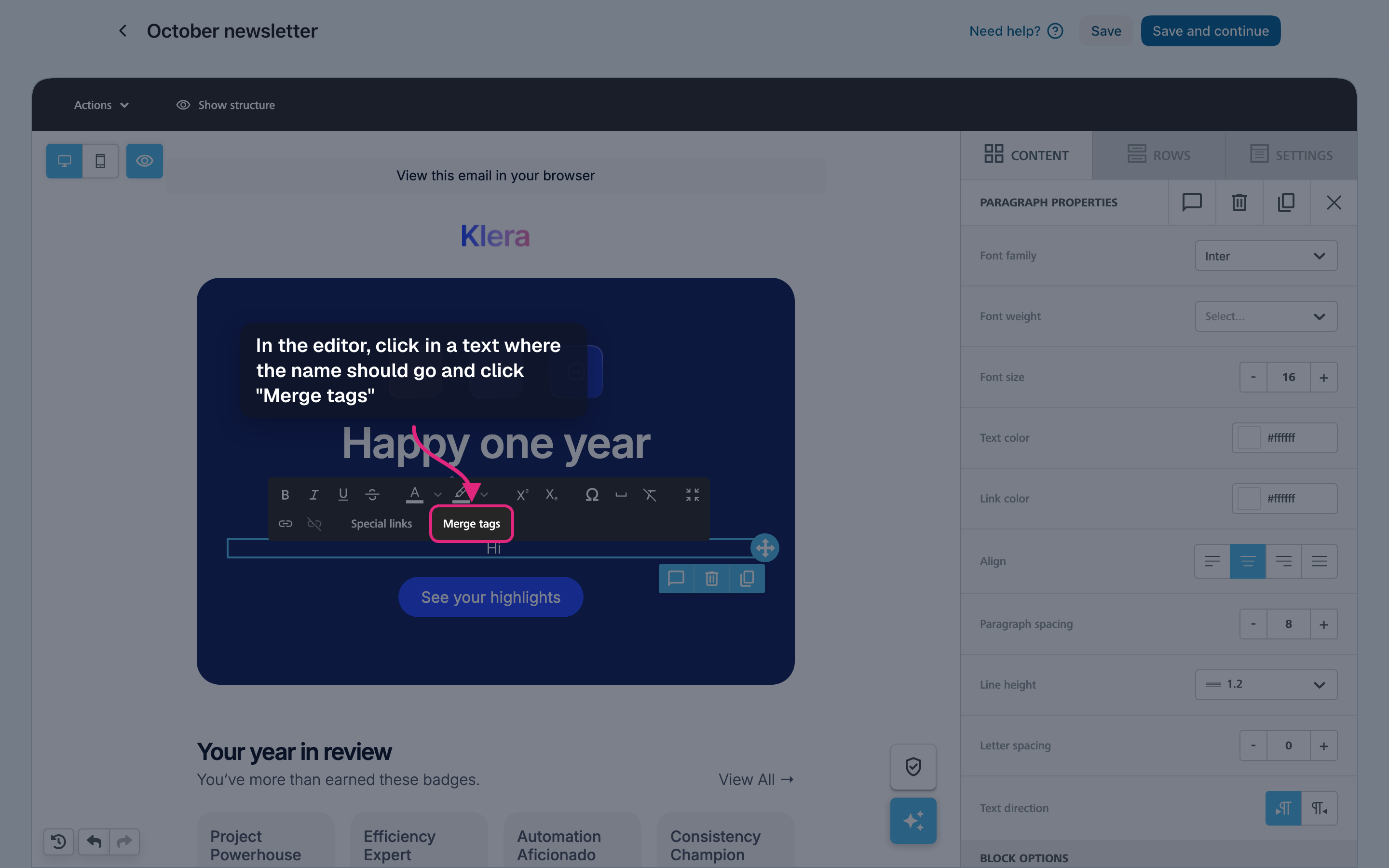
In the editor, click in a text block at the spot where the name should go. A toolbar appears: click "Merge tags".
-
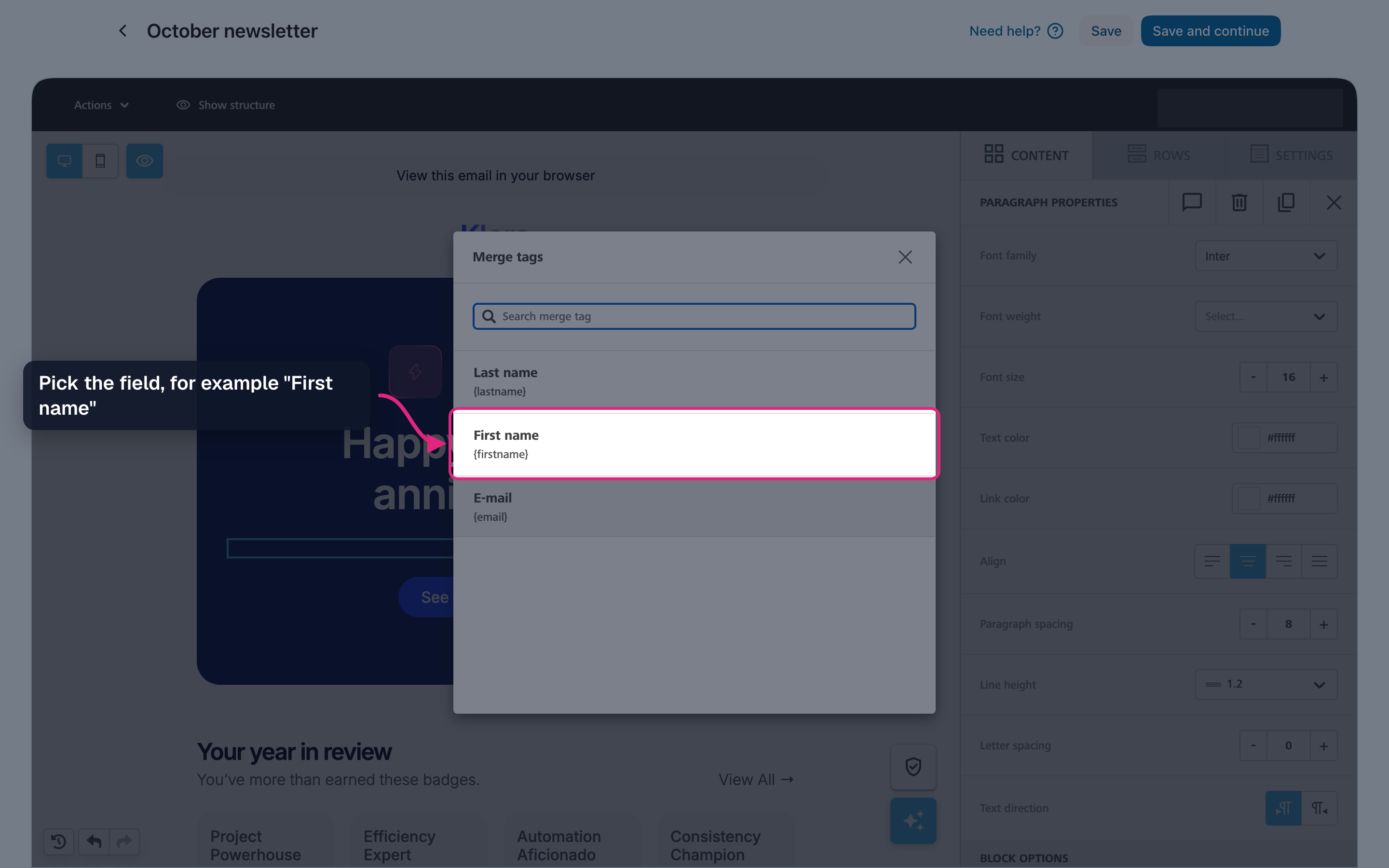
Pick the field from the list, for example "First name". The list shows the fields of your audience, each with its tag.
-
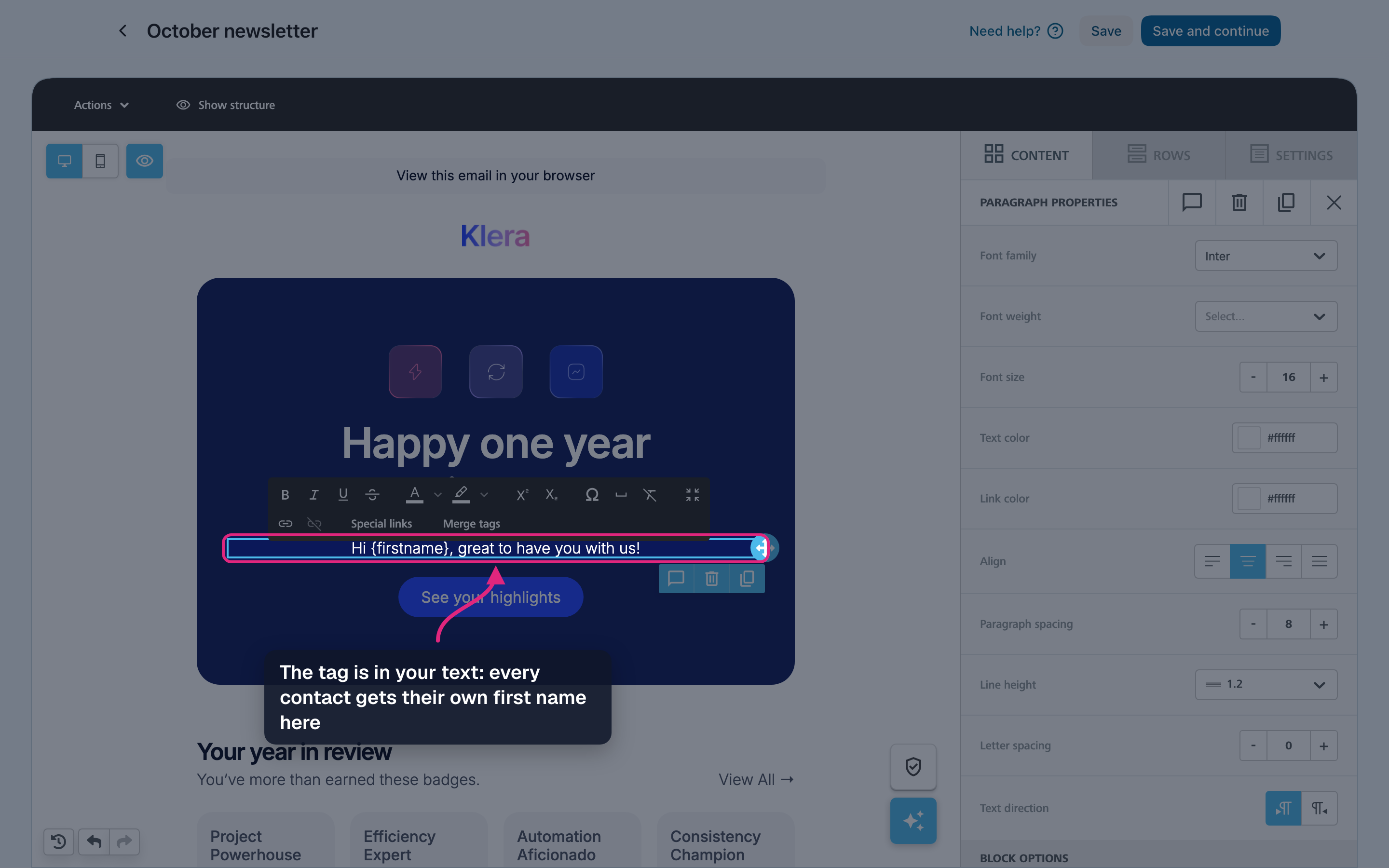
The tag is now in your text. When the campaign is sent, every contact gets their own first name in its place.
-
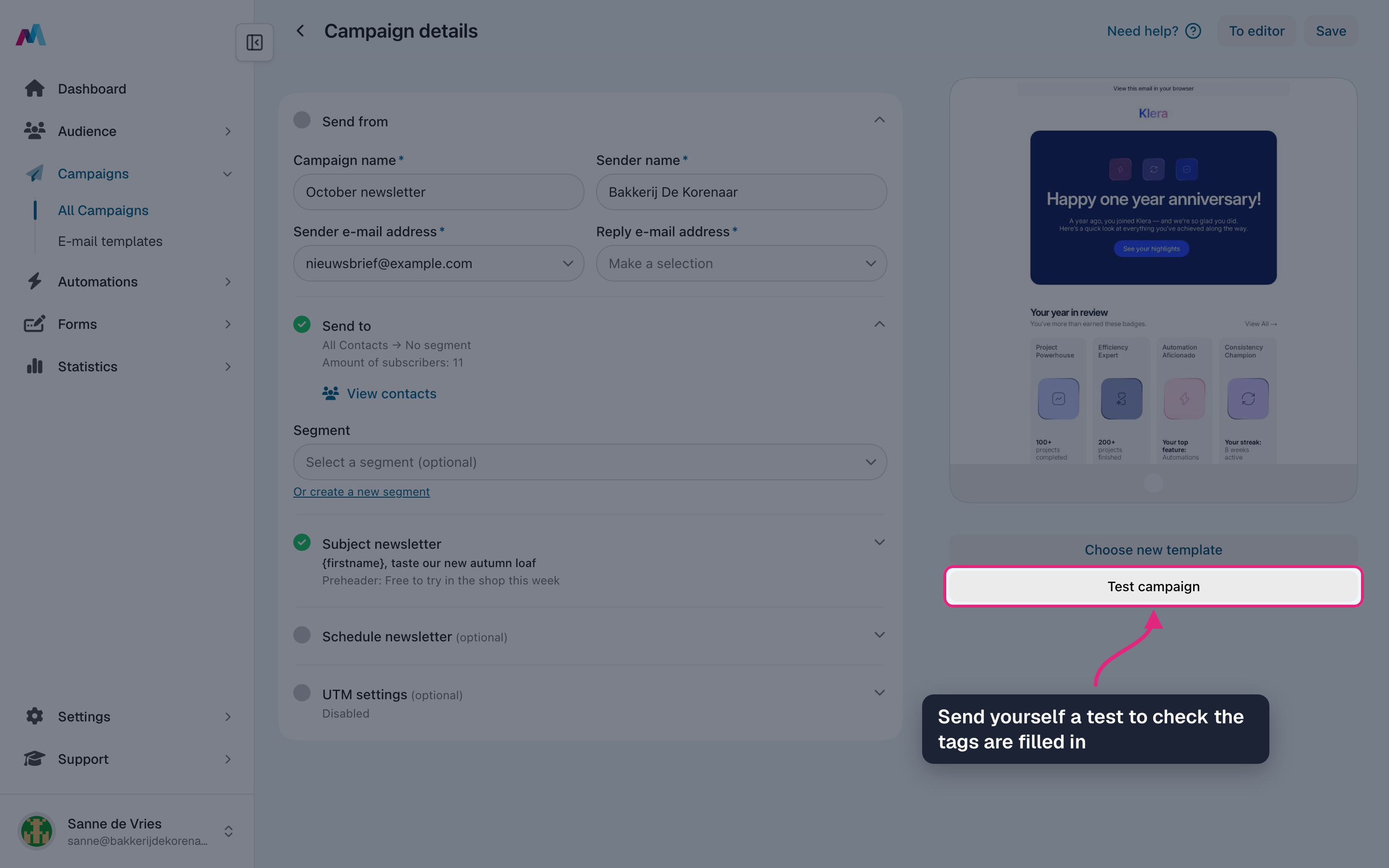
Click "Save and continue", then "Test campaign" to send yourself a test and check that the tags are filled in.
No inline fallback — write copy that survives empty tagsThe merge-tag syntax is just {fieldname} (the legacy %%fieldname%% form is deprecated but still supported — use curly braces for anything new) — there is no pipe-or-default fallback inside the tag. If a contact is missing the value, the tag renders as an empty string at send time. So "Hi {firstname}," becomes "Hi ," for those contacts. Either write the surrounding copy so an empty tag still reads OK, or only send to a segment you know has the field filled in.
Personalise the subject, not just the bodyA merge tag in the subject line is the single biggest open-rate lever — recipients see their own name or city before they even open the email. Even a small touch like "{firstname}, your March update is here" tends to outperform a generic subject.
Test that tags actually resolveSend a test to yourself — if you see literal "{firstname}" instead of your name, the tag is mistyped or the field doesn't exist. Tags are case-sensitive and must match the field key exactly. Always test before sending to the real audience.
How do I add a fallback to a merge tag?
You can't — there is no inline fallback syntax. The tag is just {fieldname} and renders empty when the contact has no value for that field. Either write the surrounding copy so an empty tag still reads naturally, or send to a segment you know has the field filled in.
Why does my tag render as literal "{firstname}"?
The tag name doesn't match a field key, or the syntax is off. Tags are case-sensitive and must use the exact field key. Send a test send to yourself to confirm what the recipient will see.
Can I use merge tags in the subject line?
Yes — subject, pre-header, and body all support merge tags. Personalising the subject line is one of the single biggest open-rate levers.
Where do I find the list of available tags?
Every contact field you have defined under Fields is available as a merge tag, wrapped in curly braces around its key (e.g. {company}; the legacy %%company%% form is deprecated but still supported). Plus the built-ins: {email}, {firstname}, {lastname}.
See also
Updated 4 days ago