
Testing campaigns
Send a test version of your campaign to yourself (or a colleague) before it goes out to the real audience. Catches broken links, wrong personalisation, layout breaks, and obvious typos.
Send a test version of your campaign to yourself (or a colleague) before it goes out to the real audience. Catches broken links, wrong personalisation, layout breaks, and obvious typos.
A test email is the campaign as a recipient would receive it. The only difference is that it goes to an address you type in, not to your contacts.
How to send a test
-
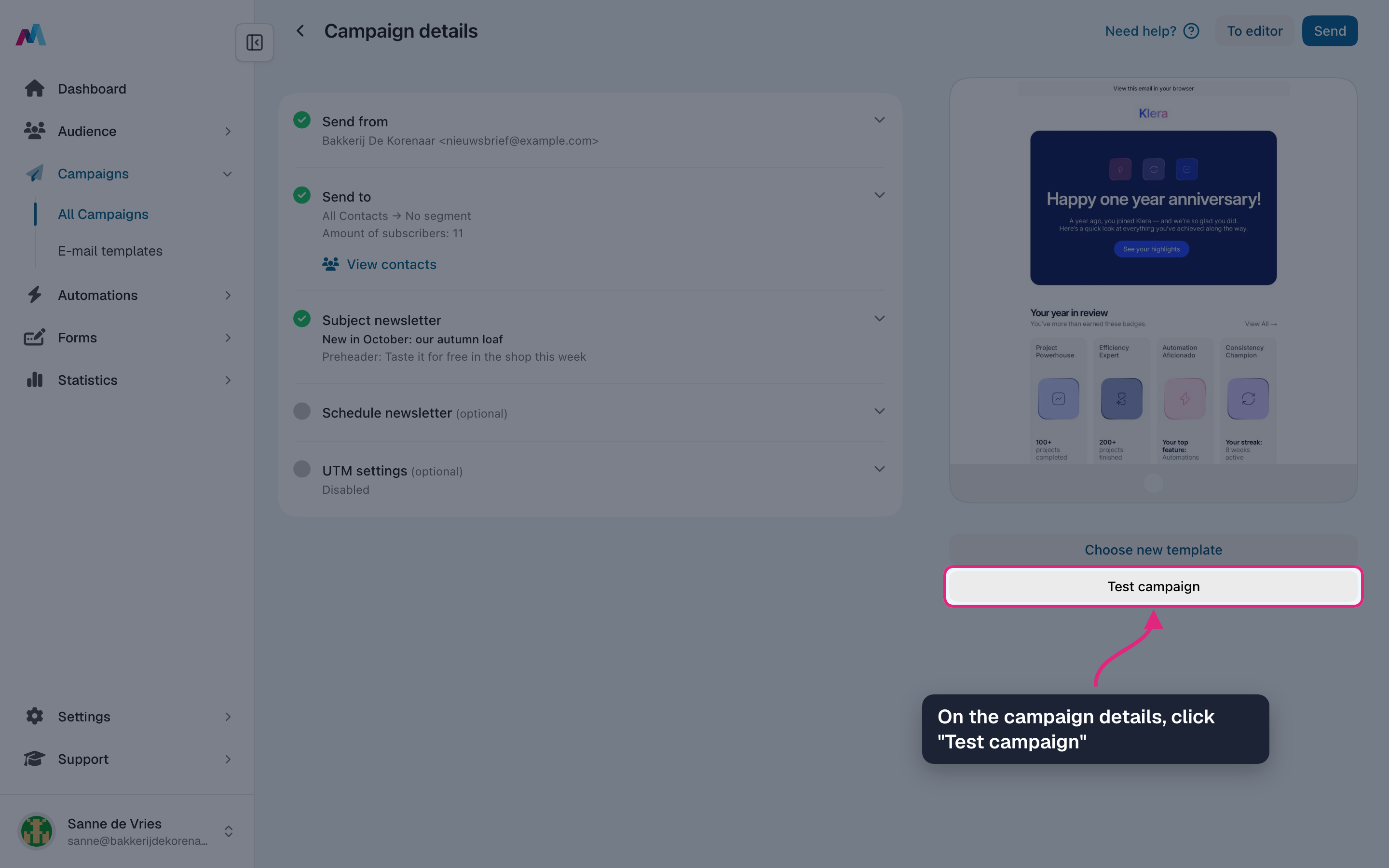
Open the campaign and click "Test campaign" on the right, under the preview.
-
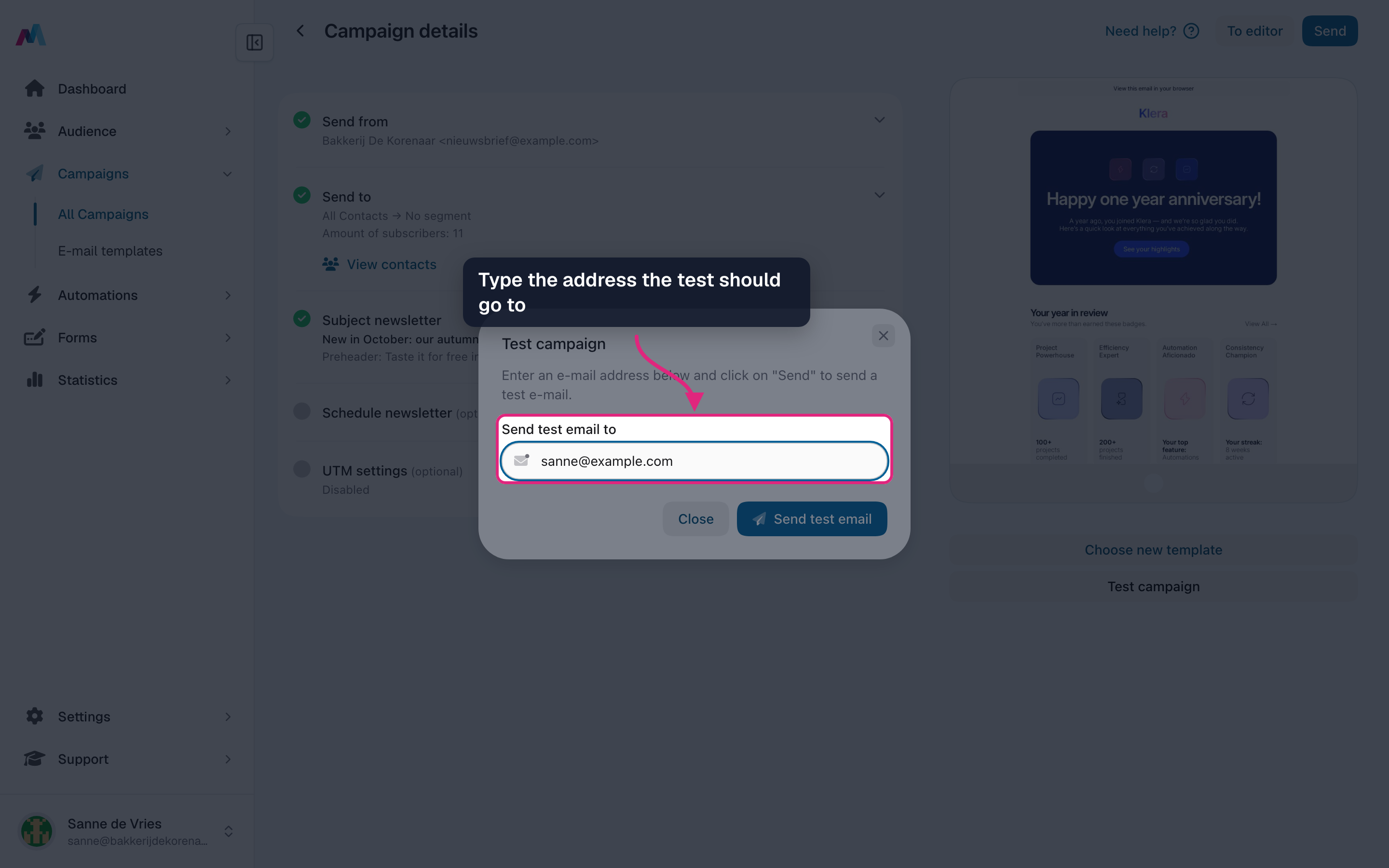
Type the email address the test should go to. One address per test; send another test for a second address.
-
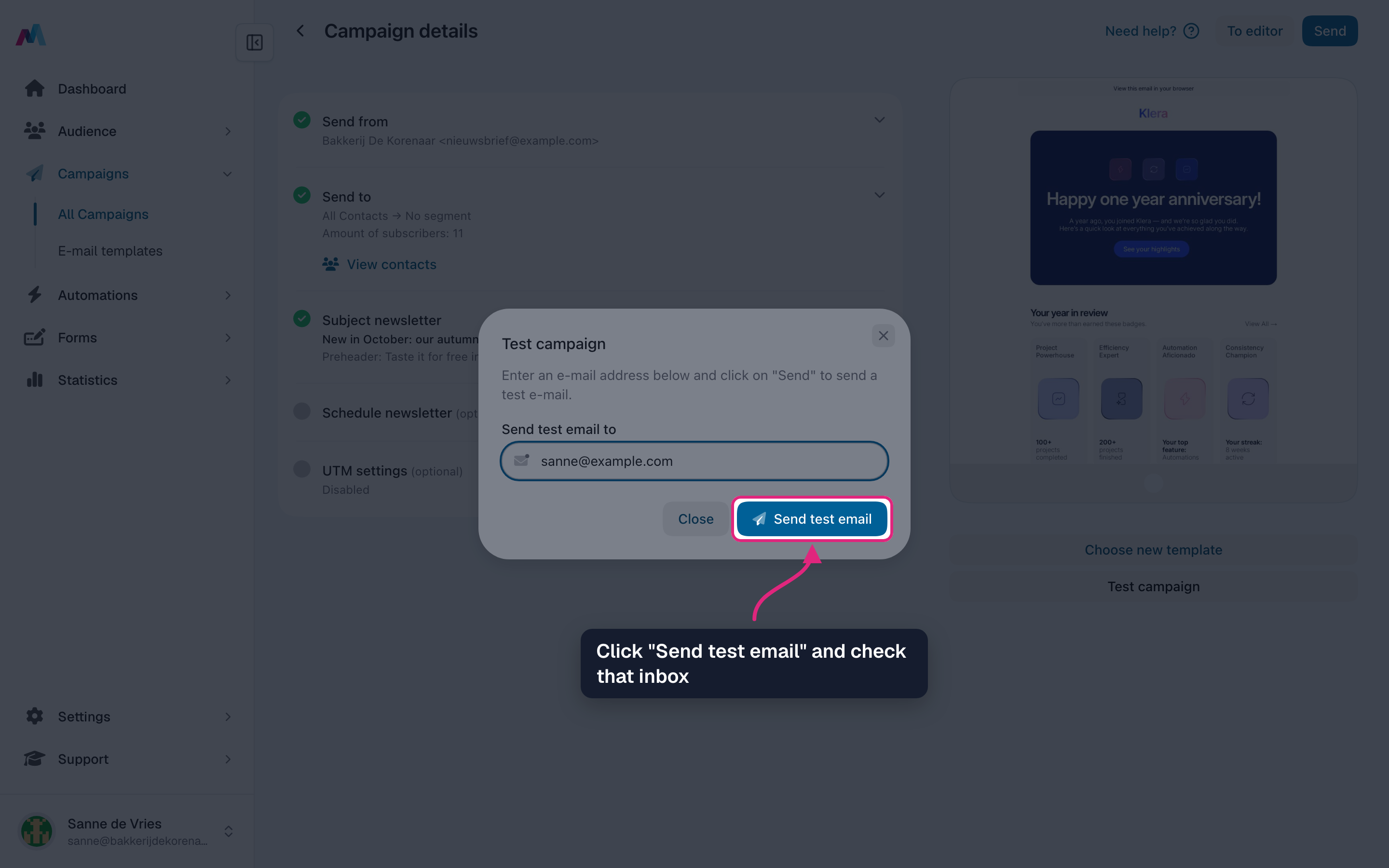
Click "Send test email" and check that inbox. If it is not there after a few minutes, look in the spam folder too.
-
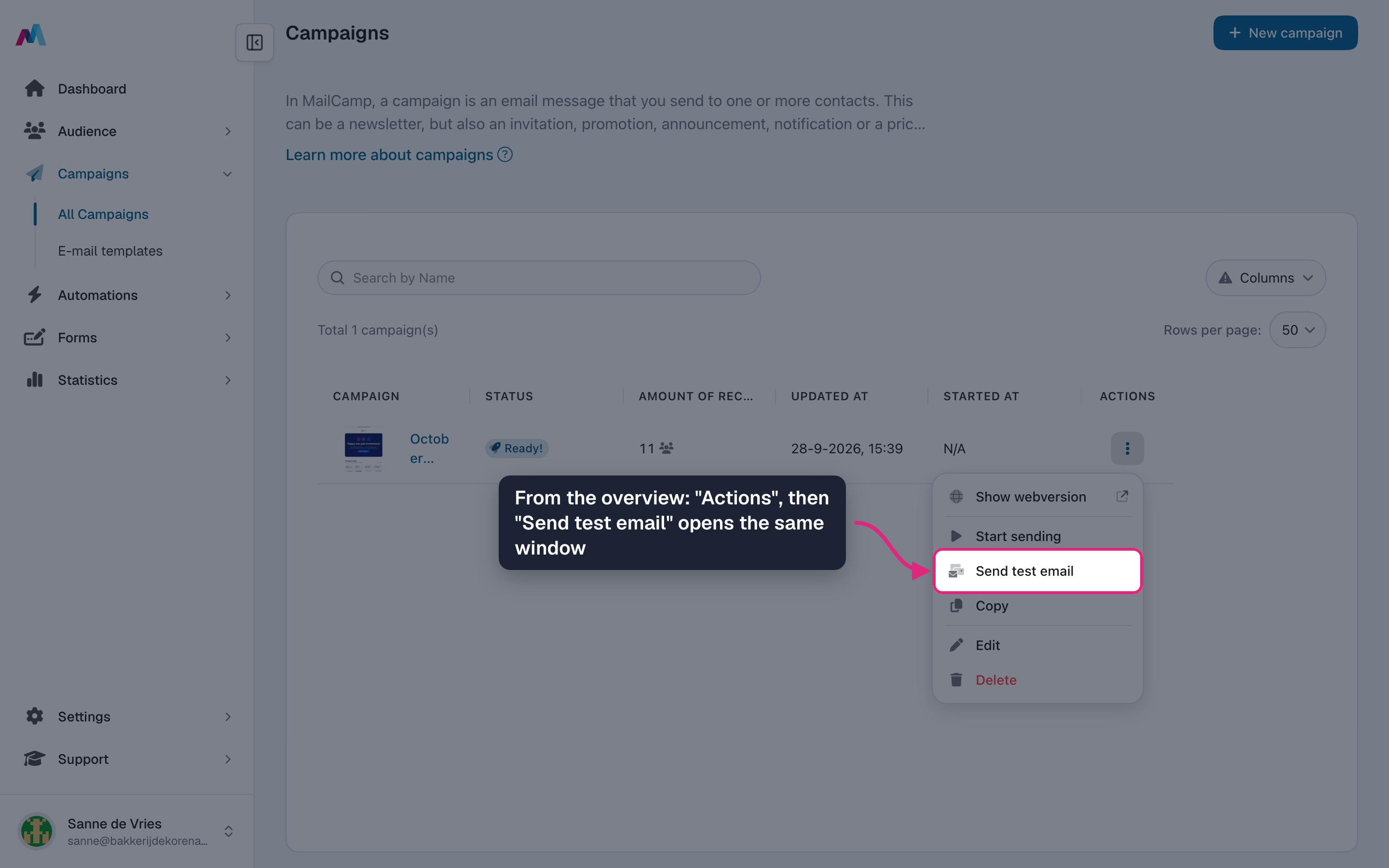
You can also test from the campaigns overview: open "Actions" on the campaign's row and choose "Send test email". The same window opens.
What to check in the testRead the subject line and preheader in the inbox view first: that is all most recipients see. Then open the email and click every link, check that images load, that merge tags show real values (not a literal "{firstname}"), and scroll on your phone to make sure the layout fits.
Test renders are not real recipientsMerge tags in a test are filled in with your own contact record, not the real audience. If your record is missing a value the placeholder stays empty, and the real audience can have different gaps. There is no inline fallback syntax, so write the surrounding copy to read naturally even when a tag is empty (e.g. "Hello! {firstname}" instead of "Hi {firstname},").
Test across mailbox providersOutlook, Gmail, and Apple Mail can render the same HTML quite differently. Sending one test to each catches surprises like fonts being substituted, padding collapsing, or dark mode inverting your colours. A few seconds now saves a regretted send later.
Do test sends affect my campaign statistics?
No. Tests are separate from the real send. They don't count toward open and click statistics and don't appear in the campaign's per-recipient overview.
Why do my merge tags render as empty in the test?
The test is filled in with your own contact record; if your record is missing the value, the tag stays empty. There is no inline fallback syntax, so write the surrounding copy so it still reads naturally when the tag is empty, or only send to contacts you know have the value filled in.
Is there a limit on test sends?
No hard limit for normal use, but each test consumes one send credit from your usage quota. Sending half a dozen tests is fine; sending hundreds will eat into your monthly allowance.
Should I test on mobile too?
Yes. Many recipients open email on a phone, and layouts that look fine on desktop sometimes break on narrow screens. Send to an address you can open in Gmail mobile and Outlook desktop at minimum.
See also
Updated 4 days ago